
Ford Explorer: Electronic Feature Group / Lane Keeping System
Ford Explorer 2020-2026 Service Manual / Electrical / Electronic Feature Group / Lane Keeping System
- Description and Operation - Lane Keeping System - Component Location
- Description and Operation - Lane Keeping System - Overview
- Description and Operation - Lane Keeping System - System Operation and Component Description
- Diagnosis and Testing - Lane Keeping System
- Removal and Installation - Image Processing Module A (IPMA)
 Removal and Installation - Side Obstacle Detection Control Module
Removal
NOTE:
LH side shown, RH side is similar.
Remove the rear bumper cover.
Refer to: Rear Bumper Cover (501-19 Bumpers, Removal and Installation)...
 Description and Operation - Lane Keeping System - Component Location
Component Location - Lane Keeping System
Item
Description
1
IPMA.
2
Lane keeping system (LKS) switch (integral to the LH steering column multifunction switch)...
Other information:
Ford Explorer 2020-2026 Service Manual: General Procedures - Rear Door Alignment
Adjustment NOTE: Removal steps in this procedure may contain installation details. NOTE: LH side shown, RH side similar. All alignments Open the rear door. Remove the bolts and the striker assembly...
Ford Explorer 2020-2026 Owners Manual: Luggage Covers
WARNING: Make sure that the posts are properly latched in mounting features. The cover may cause injury in a sudden stop or accident if it is not securely installed. WARNING: Do not place any objects on the cargo area shade. They may obstruct your vision or strike occupants of your vehicle in a sudden stop or crash...
Categories
- Manuals Home
- 6th Generation Explorer Owners Manual
- 6th Generation Explorer Service Manual
- General Procedures - Transmission Fluid Drain and Refill
- Engine
- Electric Parking Brake
- New on site
- Most important about car
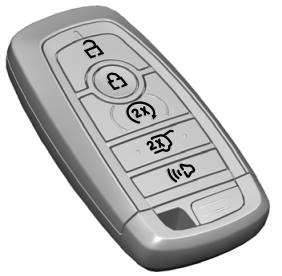
Intelligent Access Key
Note: You may not be able to shift out of park (P) unless the intelligent access key is inside your vehicle.

Copyright © 2026 www.foexplorer.com