Kia Picanto: LCD display / LCD display modes. Trip computer mode
LCD display modes
Table 1. Type A
| Display controls | Mode | |
|---|---|---|
| Trip Computer | User Settings | |
|
|
|
|


Table 2. Type B
| Display controls | Mode | ||||
|---|---|---|---|---|---|
| Driving Assist* | Trip Computer | Turn By Turn (TBT)* | User Settings | Information/Master Warning | |
|
Up/Down navigation |
Lane Keeping Assist* Blind-Spot Collision-Avoidance Assist* Lane Following Assist* |
Drive Information | Route Guidance | Driver Assistance* | Tyre Pressure Monitoring System (TPMS) |
| Since Refuelling | Destination Info | Cluster | Master Warning mode displays vehicle-related warning messages when one or more systems are not operating normally. | ||
| Accumulated Info | Lights* | ||||
| Door* | |||||
| Convenience* | |||||
| Units | |||||
| Reset | |||||


* If equipped. Items marked with an asterisk are available only when the corresponding equipment is installed.
The modes, settings and information shown on your Kia Picanto may differ according to its equipment and available functions. Use the entries that apply to your vehicle.
For instructions on changing modes and navigating the display, refer to “LCD display control”.
Trip computer mode
|
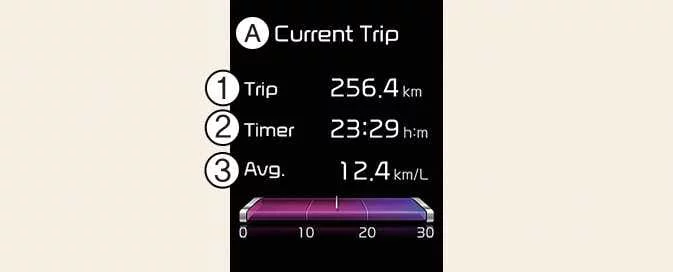
A: Current Trip
|
Trip computer mode presents information about the vehicle’s driving activity, including fuel economy, tripmeter readings and vehicle speed. Select the relevant display to review the available journey information.
Refer to “Trip computer” for detailed explanations of the readings and their operation.
 LCD display
..
 Driving Assist mode : (if equipped). Setting. Service mode
Driving Assist mode : (if equipped). Setting
Driving Assist mode shows the operating status of the fol..
Other information:
Kia Picanto 2024-2026 Owner's Manual: Recommended lubricants and capacities. Recommended SAE viscosity number
Using lubricants of the specified quality helps the engine and powertrain in your Kia Picanto deliver their intended performance and durability. The correct lubricant also supports engine efficiency and fuel economy. The table below lists the recommended fluids, capacities and classifications for the engine, transmission and market combinations shown...
Ford Explorer 2020-2026 Service Manual: Removal and Installation - Second Row Single Seat Armrest - Vehicles With: Second Row Captain Chairs
Removal NOTE: Removal steps in this procedure may contain installation details. Unzip the second row single seat armrest cover. Remove the second row single seat armrest. Invert the single seat armrest cover to access the armrest pivot bolt...
Categories
- Manuals Home
- 6th Generation Explorer Owners Manual
- 6th Generation Explorer Service Manual
- General Procedures - Rear Camber Adjustment
- Electric Parking Brake
- Body and Paint
- New on site
- Most important about car
Locking and Unlocking
You can use the power door lock control or the remote control to lock and unlock your vehicle.
Power Door Locks
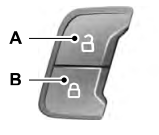
The power door lock control is on the driver and front passenger door panels.