Kia Picanto: Forward Collision-Avoidance Assist (FCA) (Front Camera Only): (if equipped) / Forward Collision-Avoidance Assist settings. Warning Methods
Forward Safety
|
|
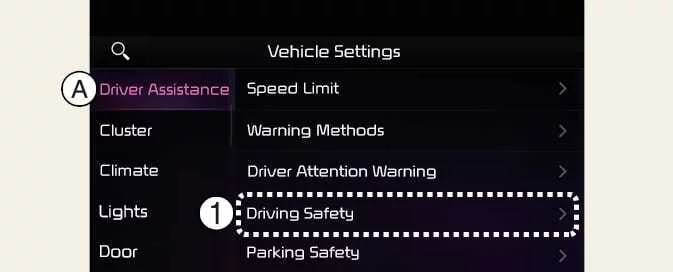
A: Driver Assistance
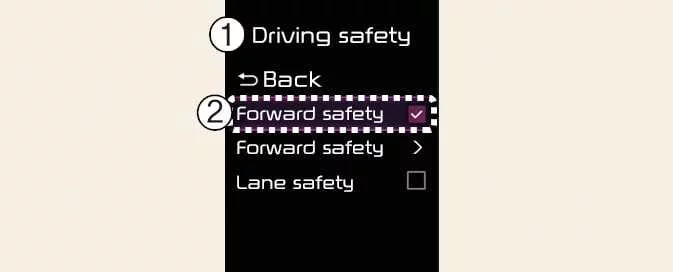
With the vehicle switched on, open User Settings > Driver Assistance > Driving Safety > Driving Safety in the instrument cluster, or Setup > Vehicle > Driver Assistance > Driving Safety in the infotainment system. This menu allows you to select or deselect the available functions and check which settings are currently enabled.
-
Forward Safety: Depending on the detected level of collision risk, the system provides an audible warning and braking assistance. Deselecting Forward Safety switches off Forward Collision-Avoidance Assist, and the Forward Safety warning light (
 ) appears in the
instrument cluster.
) appears in the
instrument cluster.
You can check whether Forward Collision-Avoidance Assist is enabled through the Settings menu. If the Forward Safety
warning light ( ) remains
ON while the function is enabled, have your Kia Picanto inspected by a professional workshop. Kia
recommends visiting an authorised Kia dealer or service partner to investigate the warning.
) remains
ON while the function is enabled, have your Kia Picanto inspected by a professional workshop. Kia
recommends visiting an authorised Kia dealer or service partner to investigate the warning.
WARNING
Forward Collision-Avoidance Assist switches on automatically whenever the vehicle is restarted. If you subsequently deselect Forward Safety, its assistance will be unavailable. Remain attentive to the surrounding traffic and road conditions, and continue to drive safely regardless of the selected setting.
Forward Safety Warning Timing
|
|
A: Driving Safety
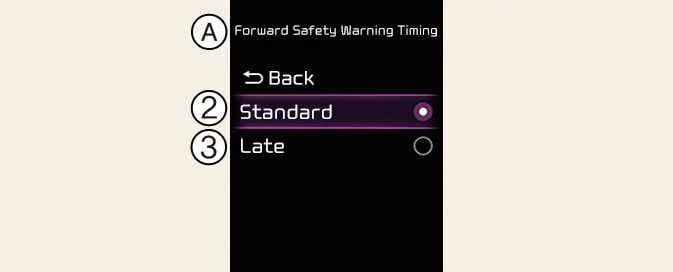
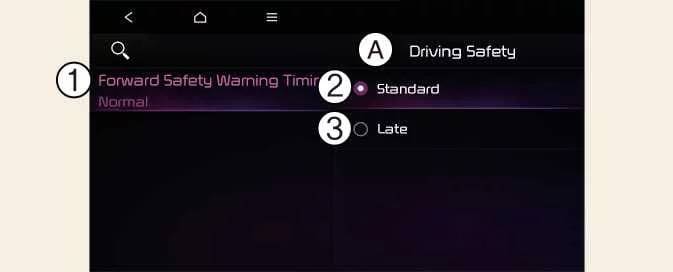
To adjust when the initial collision warning is issued, switch the vehicle on and select User Settings > Driver Assistance > Driving Safety > Forward Safety Warning Timing in the instrument cluster. Alternatively, open Setup > Vehicle > Driver Assistance > Driving Safety > Forward Safety Warning Timing in the infotainment system. This setting controls the timing of the first warning from Forward Collision-Avoidance Assist.
-
Choose Standard for normal driving conditions. If the warnings feel too sensitive, you can change the setting to Late, taking account of the traffic and speed precautions below.
-
Selecting Late delays the warning compared with Standard. The system therefore alerts you later to a detected collision risk.
CAUTION
-
Even with Standard selected, the initial warning may feel late if the vehicle ahead stops suddenly. Always monitor the traffic ahead rather than waiting for a warning before responding.
-
Use the Late warning setting only when traffic is light and you are driving at a low speed. Consider both conditions before choosing the delayed warning timing.
NOTE
The selected warning timing is retained when the vehicle is restarted. Restarting your Kia Picanto does not reset this setting to its previous default.
Warning Methods
|
|
A: Driver Assistance
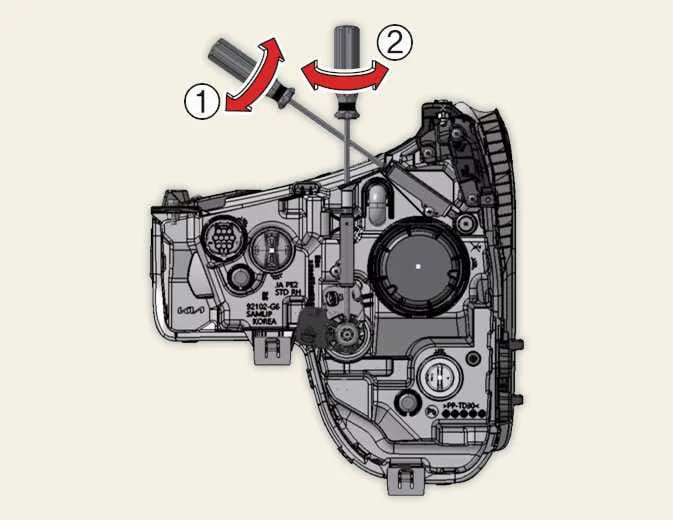
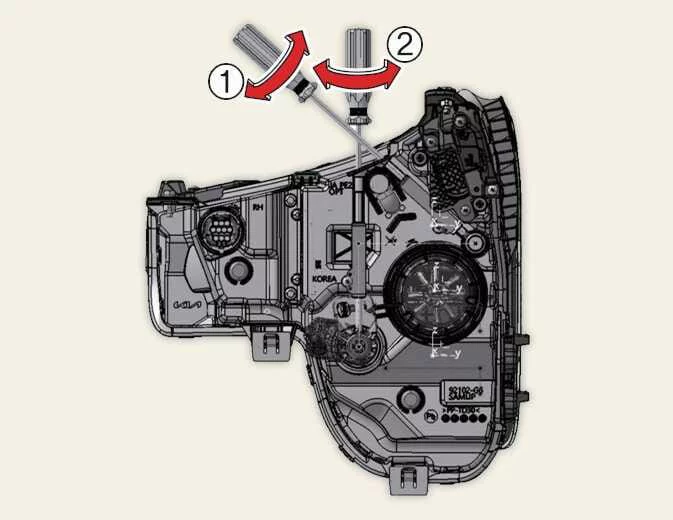
You can configure Warning Methods while the vehicle is switched on. In the instrument cluster, select User Settings > Driver Assistance > Warning Methods. In the infotainment system, select Setup > Vehicle > Driver Assistance > Warning Methods. Depending on the equipment fitted to your Kia Picanto, this menu provides the following adjustments:
-
Warning Volume: Adjusts how loudly the audible warning is played, allowing you to change the warning sound level through the settings menu.
-
Driving Safety Priority: Reduces the volume of other audio whenever a Driving Safety warning sounds, helping make the warning easier to hear.
TIP
-
Changes to Warning Methods may also apply to other driver assistance functions. Check the settings for each relevant function and adjust them as needed, rather than assuming the change affects only Forward Collision-Avoidance Assist.
-
Warning Methods retains your last selected settings after the vehicle is restarted. Your chosen warning preferences therefore remain in effect for the next journey.
-
The availability of this settings menu depends on the vehicle specification. Some versions may not display the menu or all of the options described here.
 Forward Collision-Avoidance Assist (FCA) (Front Camera Only): (if equipped)
Forward Collision-Avoidance Assist in the Kia Picanto detects vehicles, powered two-wheelers, pedestrians and
c..
 Forward Collision-Avoidance Assist operation. Basic function
Basic function
Forward Collision-Avoidance Assist in the Kia Picanto provides warnings and braking assistance through the following
stages, depending on the detected collision risk and operating..
Other information:
Kia Picanto 2024-2026 Owner's Manual: Mode selection. Temperature control
Mode selection The mode selection button determines the direction of airflow through the ventilation system. Use it to choose which cabin outlets deliver air. Pressing the mode selection button changes the airflow outlet setting in the sequence illustrated below: For the locations identified by the outlet letters, refer to the airflow illustration in the “Manual climate contro..
Ford Explorer 2020-2026 Service Manual: Description and Operation - Passive Anti-Theft System (PATS) - System Operation and Component Description
System Operation System Diagram *.sttxt { visibility: hidden; } *.stcallout { visibility: visible; } E347141 1 SOBDMC 2 ABS 3 PCM 4 BCM 5 PATS Enable 6 PATS Transceiver ..
Categories
- Manuals Home
- 6th Generation Explorer Owners Manual
- 6th Generation Explorer Service Manual
- General Procedures - Transmission Fluid Drain and Refill
- Auxiliary Power Points
- Automatic Transmission
- New on site
- Most important about car
Locking and Unlocking
You can use the power door lock control or the remote control to lock and unlock your vehicle.
Power Door Locks
The power door lock control is on the driver and front passenger door panels.