
Kia Picanto: SYNC™ 3 / SYNC™ 3 Troubleshooting
Ford Explorer 2020-2026 Owners Manual / SYNC™ 3 / SYNC™ 3 Troubleshooting
Voice Recognition
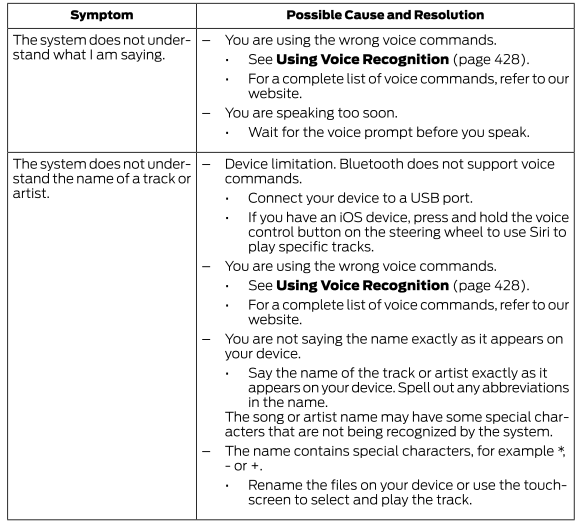
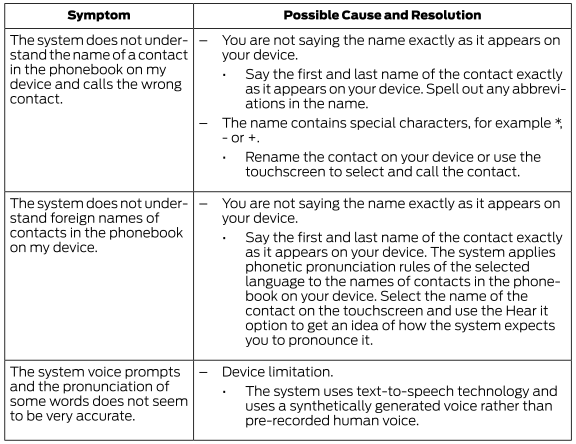
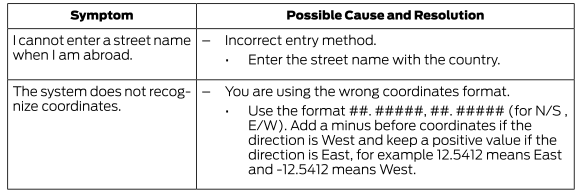
USB and Bluetooth Audio
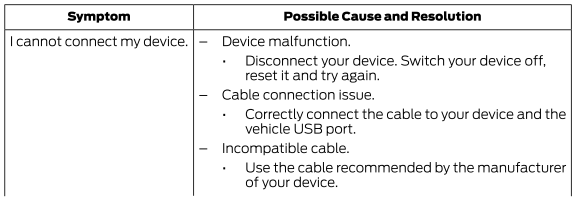
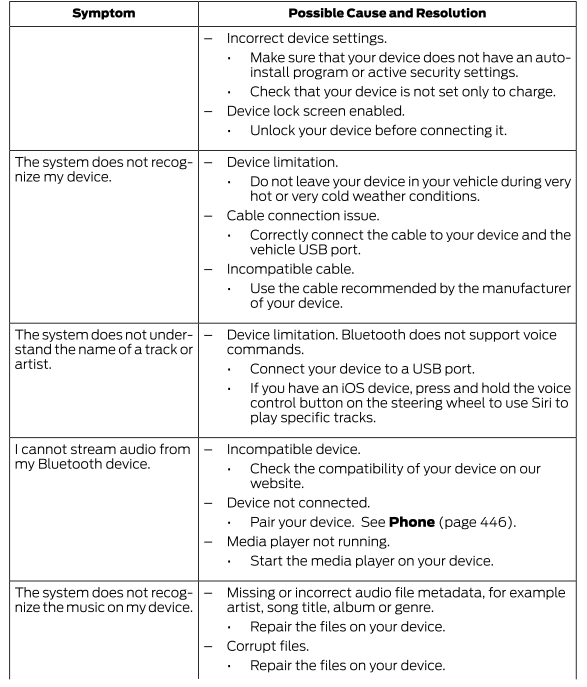
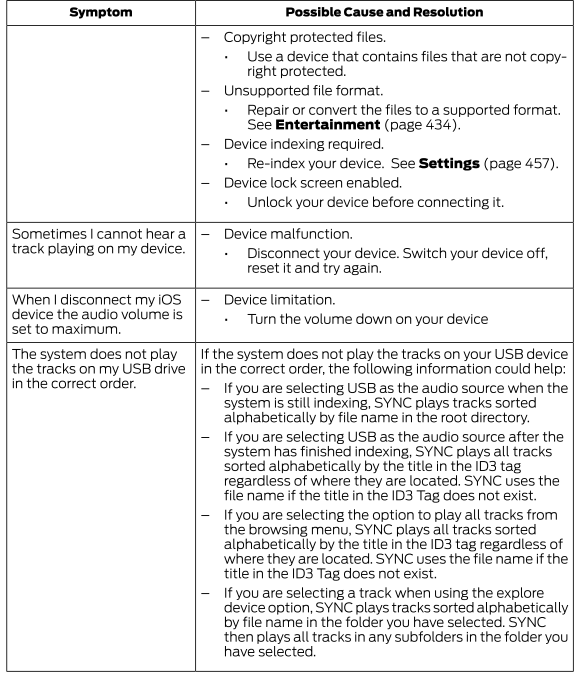
Phone
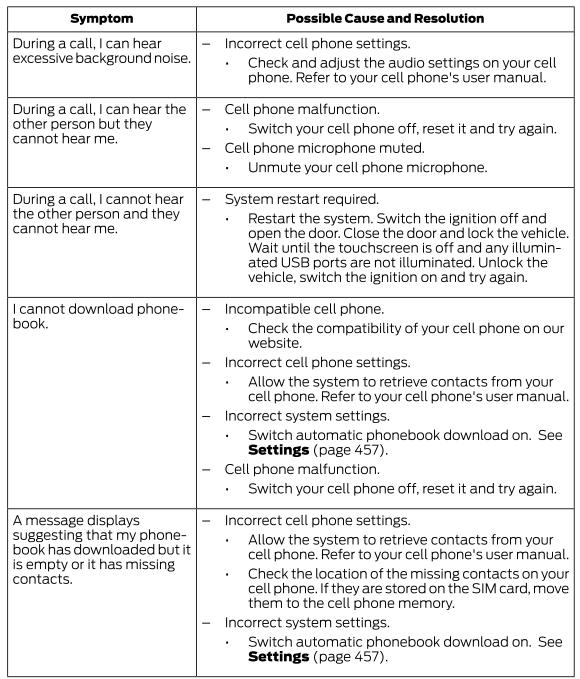
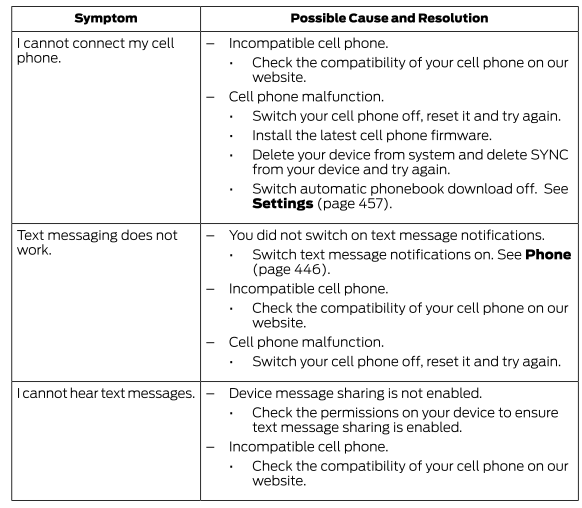
Navigation (If Equipped)
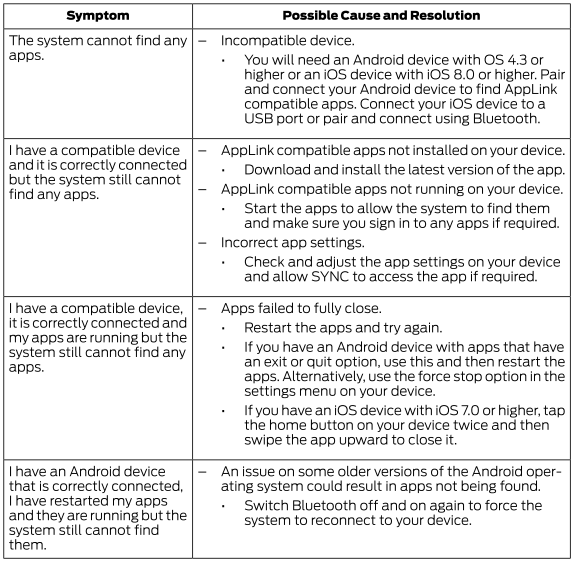
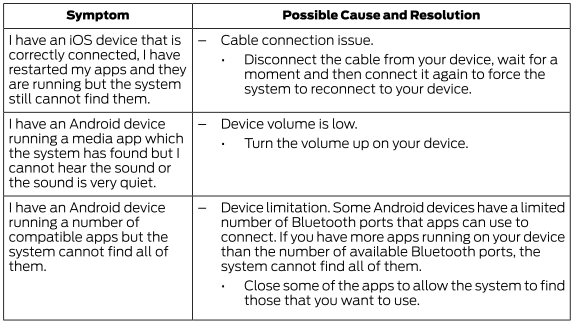
Apps
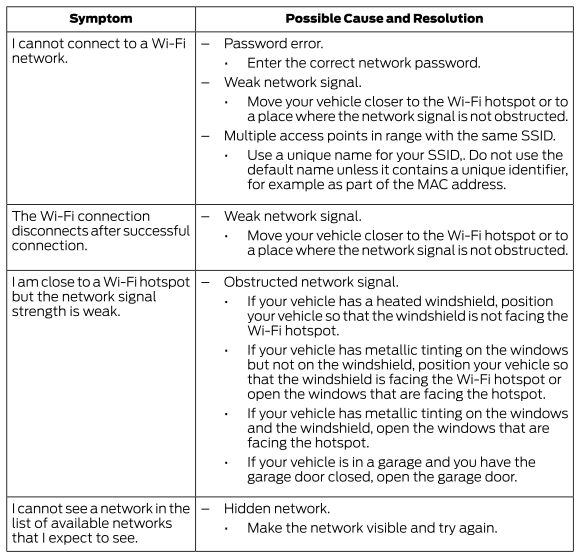
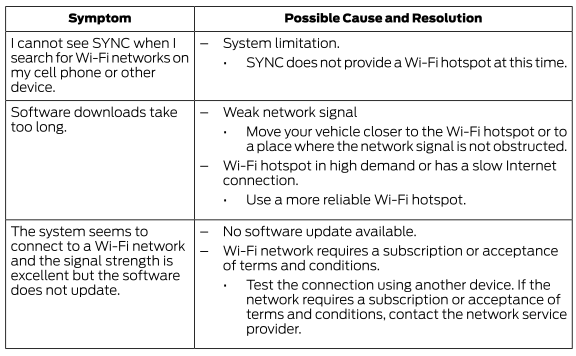
Wi-Fi Connectivity
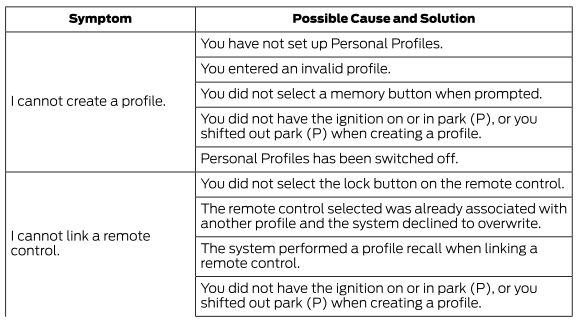
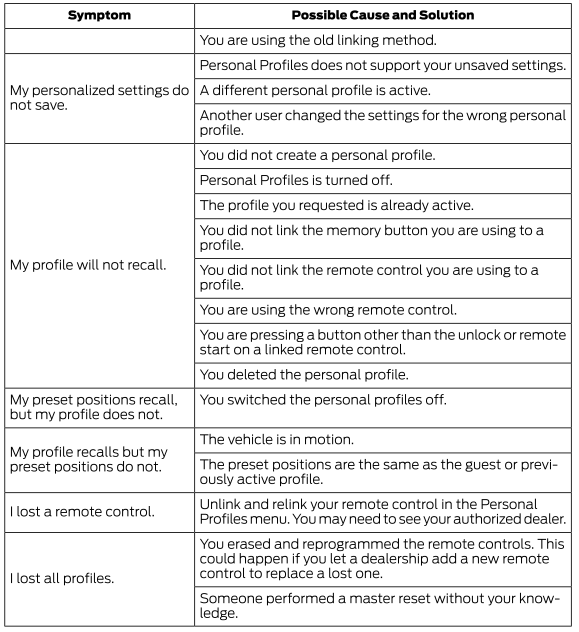
Personal Profiles (If Equipped)
Resetting the System
- Simultaneously press and hold the seek up and the audio unit power buttons until the screen goes black.
- Wait three minutes to allow the system to complete the reset.
- Press the audio unit power button to switch the system on.
Note: You can reset the system to restore functionality that has stopped working. The system reset is designed to restore functionality and not delete any data that you have stored.
Additional Information and Assistance
For additional information and assistance, we recommend that you contact an authorized dealer or refer to our website.
 Settings
Press the button to enter the settings
menu.
Once you select a tile, press the
button next to a menu item to view an explanation of the feature or setting...
 Accessories
For a complete listing of the accessories that are available for your vehicle,
please contact your authorized dealer or visit the online store web site:
Web Address (United States)
www...
Other information:
Ford Explorer 2020-2026 Service Manual: Removal and Installation - Gear Shift Module (GSM)
Removal NOTE: Removal steps in this procedure may contain installation details. NOTE: Move the front seats forward and rearward as necessary to access floor console components. Release the clips and remove the RH floor console side trim panel...
Ford Explorer 2020-2026 Service Manual: Description and Operation - Anti-Lock Brake System (ABS) and Stability Control - System Operation and Component Description
System Operation System Diagram Item Description 1 ABS module 2 Hydraulic pressure sensor 3 EBB assembly 4 Wheel speed sensors 5 GWM 6 RCM 7 PSCM 8 BCM 9 ATCM ( AWD only) 10 PCM 11 IPC 12 IPMA 13 HVAC module 14 SCCM 15 GSM 16 PAM ..
Categories
- Manuals Home
- 6th Generation Explorer Owners Manual
- 6th Generation Explorer Service Manual
- Automatic Transmission - 10-Speed Automatic Transmission – 10R60
- Automatic Transmission
- Body and Paint
- New on site
- Most important about car
Gauges
4 Inch Display
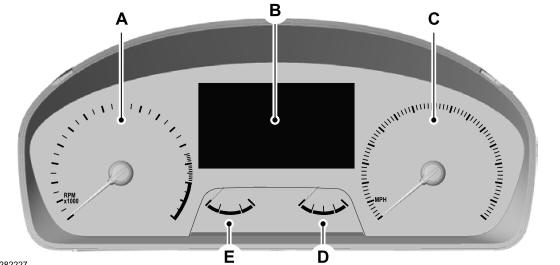
A - Tachometer.
B - Information display.
C - Speedometer.
D - Fuel gauge.
E - Engine coolant temperature gauge.

Copyright © 2026 www.foexplorer.com