Kia Picanto: Lighting / Lighting control. High beam operation
Lighting control
|
|
|
|
|
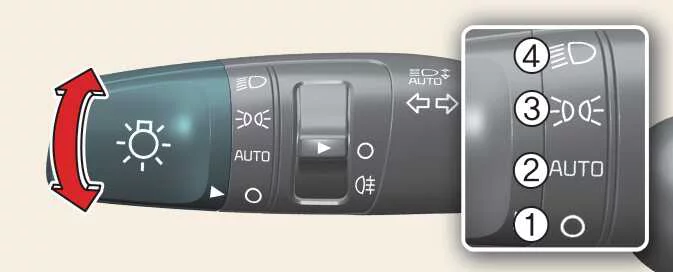
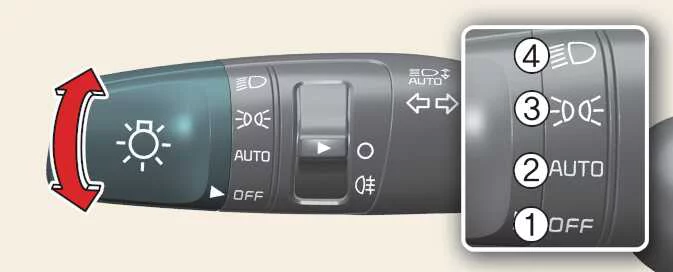
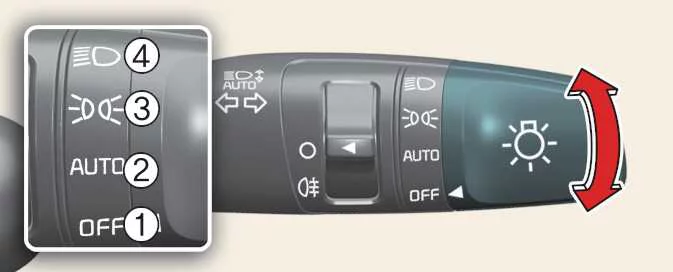
The lighting switch includes separate settings for the parking lights and headlights, together with OFF and, where fitted, automatic lighting.
Turn the knob at the end of the control stalk to select one of the following positions:
-
OFF (O): Off position.
-
AUTO: Automatic lighting position, where equipped.
-
 Position and tail lamps: Selects the
parking light setting.
Position and tail lamps: Selects the
parking light setting. -
 Headlights: Selects the headlight setting.
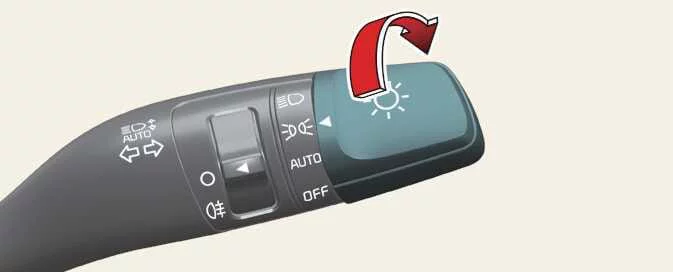
Parking light position
|
With the switch in the parking light setting, identified as position 3 above, the tail lamps, position lamps, number plate lamps and instrument panel illumination switch ON.
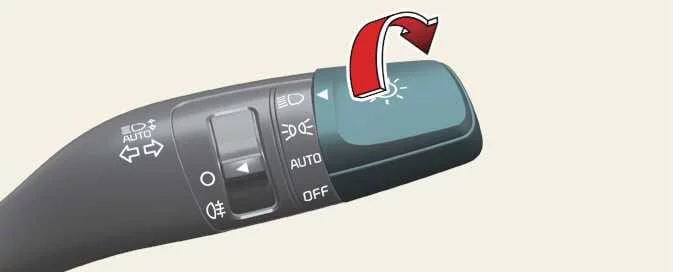
Headlight position
|
With the switch in the headlight setting, identified as position 4 above, the headlights illuminate together with the tail lamps, position lamps, number plate lamps and instrument panel lighting.
NOTE
The ignition switch must be in the ON position for the headlights to operate.
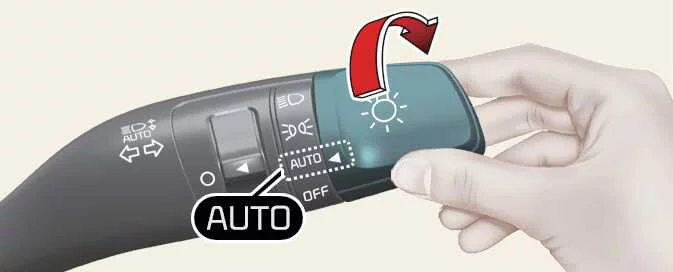
Auto light position: (if equipped)
|
With the lighting switch set to AUTO and the vehicle switched ON, the system turns the lights on or off according to the ambient brightness measured by its sensor.
Automatic lighting assists the driver, but you remain responsible for selecting appropriate lighting for visibility and safety. Switch the headlights on manually whenever conditions require them, including in tunnels, underground car parks or poor weather, rather than relying solely on the sensor.
CAUTION
-
Keep the ambient light sensor (1) on the instrument panel uncovered. Objects placed over it can affect the brightness reading and interfere with automatic lighting control.
-
Fog, snow, rain and overcast weather can produce varying light levels around the vehicle. As a result, the timing of automatic switching can differ with the weather, season and surrounding environment.
-
Do not use window cleaner on the sensor. Residue can leave a thin film on its surface and interfere with its ability to measure ambient light correctly.
-
Tinting film or a metallic coating on the front windscreen can affect the sensor’s light input. If fitted, these treatments may prevent the automatic lighting system in your Kia Picanto from operating correctly.
High beam operation
|
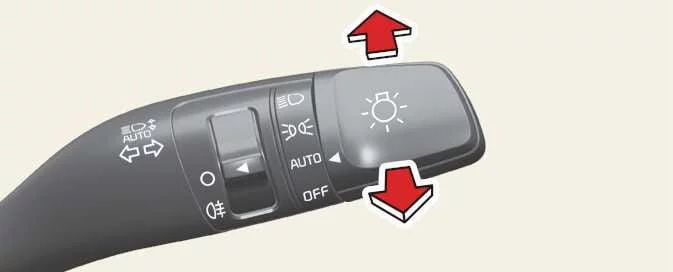
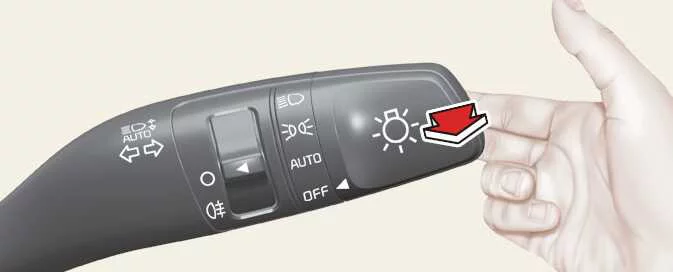
With the headlights switched on, push the control stalk away from you to select high beam. Pull the stalk back towards you to return to low beam.
The high-beam indicator illuminates on the instrument cluster while high beam is selected. Avoid leaving the lights on for an extended period with the engine stopped, as this can discharge the battery.
|
To flash the headlights, pull the stalk towards you and release it when the flash is no longer required. The stalk returns to its normal low-beam position when released. This flashing function is available without switching the headlight control on.
WARNING
Do not use high beam when it could dazzle other road users. Its brightness can impair another driver’s vision, so return to low beam when other vehicles are present.
 Headlight escort function: (if equipped). Headlight welcome function: (if equipped)
Headlight escort function: (if equipped)
The headlights and/or tail lights remain illuminated for approximately five minutes after the engine is switched off
and the ignition key is removed...
 Turn signals and lane change signals. One-touch lane change function: (if equipped). Rear fog light: (if equipped)
Turn signals and lane change signals. One-touch lane change function: (if equipped)
The ignition must ..
Other information:
Ford Explorer 2020-2026 Owners Manual: At a Glance - ST
Exterior Front and rear fascias feature unique ST grille and unique finish. ST badging in front grille and on rear liftgate. Trim features unique ST gloss black finish. E-X-P-L-O-R-E-R lettering across hood. Blackout treatment on headlight and taillight lenses...
Kia Picanto 2024-2026 Owner's Manual: Precautions
WARNING To reduce the risk of serious or fatal injury and obtain the intended protection from the restraint system in your Kia Picanto, observe all of the following precautions: Never place a child in a child restraint or booster seat in the front passenger seat...
Categories
- Manuals Home
- 6th Generation Explorer Owners Manual
- 6th Generation Explorer Service Manual
- Removal and Installation - All-Wheel Drive (AWD) Module
- Engine - 2.3L EcoBoost (201kW/273PS)
- General Procedures - Rear Camber Adjustment
- New on site
- Most important about car
Locking and Unlocking
You can use the power door lock control or the remote control to lock and unlock your vehicle.
Power Door Locks
The power door lock control is on the driver and front passenger door panels.