Kia Picanto: LCD display / LCD display modes. Trip computer mode
LCD display modes
Table 1. Type A
| Display controls | Mode | |
|---|---|---|
| Trip Computer | User Settings | |
|
|
|
|


Table 2. Type B
| Display controls | Mode | ||||
|---|---|---|---|---|---|
| Driving Assist* | Trip Computer | Turn By Turn (TBT)* | User Settings | Information/Master Warning | |
|
Up/Down navigation |
Lane Keeping Assist* Blind-Spot Collision-Avoidance Assist* Lane Following Assist* |
Drive Information | Route Guidance | Driver Assistance* | Tyre Pressure Monitoring System (TPMS) |
| Since Refuelling | Destination Info | Cluster | Master Warning mode displays vehicle-related warning messages when one or more systems are not operating normally. | ||
| Accumulated Info | Lights* | ||||
| Door* | |||||
| Convenience* | |||||
| Units | |||||
| Reset | |||||


* If equipped. Items marked with an asterisk are available only when the corresponding equipment is installed.
The modes, settings and information shown on your Kia Picanto may differ according to its equipment and available functions. Use the entries that apply to your vehicle.
For instructions on changing modes and navigating the display, refer to “LCD display control”.
Trip computer mode
|
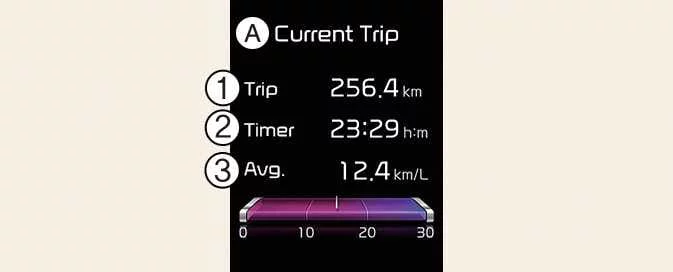
A: Current Trip
|
Trip computer mode presents information about the vehicle’s driving activity, including fuel economy, tripmeter readings and vehicle speed. Select the relevant display to review the available journey information.
Refer to “Trip computer” for detailed explanations of the readings and their operation.
 LCD display
..
 Driving Assist mode : (if equipped). Setting. Service mode
Driving Assist mode : (if equipped). Setting
Driving Assist mode shows the operating status of the fol..
Other information:
Ford Explorer 2020-2026 Owners Manual: Overriding the Set Speed
WARNING: If you override the system by pressing the accelerator pedal, it does not automatically apply the brakes to maintain a gap from any vehicle ahead. When you press the accelerator pedal, you override the set speed and gap distance. Use the accelerator pedal normally to intentionally exceed the set speed limit...
Ford Explorer 2020-2026 Service Manual: Specifications
M..
Categories
- Manuals Home
- 6th Generation Explorer Owners Manual
- 6th Generation Explorer Service Manual
- Engine
- Removal and Installation - Front Halfshaft Speed Sensor
- Electric Parking Brake
- New on site
- Most important about car
Locking and Unlocking
You can use the power door lock control or the remote control to lock and unlock your vehicle.
Power Door Locks
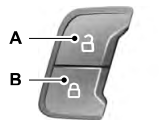
The power door lock control is on the driver and front passenger door panels.