Kia Picanto: Lane Keeping Assist (LKA): (if equipped) / Lane Keeping Assist settings
Lane Safety
|
|
A: Driver Assistance
With the vehicle switched on, select User Settings > Driver Assistance > Driving Safety in the instrument cluster. Alternatively, open Setup > Vehicle > Driver Assistance > Driving Safety in the infotainment system to access the Lane Safety setting.
-
Lane Safety: When a potential lane departure is detected, the function assists with steering to help keep the vehicle within its lane. If a departure occurs, an audible warning alerts the driver. Deselecting Lane Safety causes the yellow indicator light (
 ) to
appear in the instrument cluster.
) to
appear in the instrument cluster.
WARNING
-
For vehicles configured to reactivate the function at startup, switching the vehicle off and restarting it automatically turns Lane Keeping Assist on and selects Lane Safety again. The regional exception is described below.
-
If Lane Safety is deselected, remain fully aware of the surrounding traffic and road boundaries. You are responsible for steering the vehicle and keeping it safely within the lane.
NOTE
-
Switching off Lane Keeping Assist using the Lane Driving Assist button (
 ) also deselects Lane
Safety in the settings menu.
) also deselects Lane
Safety in the settings menu. -
Except Europe/Australia/Russia
On vehicles for markets outside Europe, Australia and Russia, Lane Keeping Assist retains its last selected setting after the vehicle is restarted.
Warning Methods
|
|
|
A: Driver Assistance
You can adjust Warning Methods while the vehicle is switched on. Select User Settings > Driver Assistance > Warning Methods in the instrument cluster, or Setup > Vehicle > Driver Assistance > Warning Methods in the infotainment system. Depending on the vehicle specification, the following settings are available:
-
Warning Volume: Adjusts the volume of the audible warning, allowing you to change the alert sound level.
-
Driving Safety Priority: Lowers all other audio volumes when a Driving Safety warning sounds, helping the warning remain clearly audible.
TIP
-
Changes to Warning Methods may also apply to other driver assistance functions. Review the settings for each relevant function and adjust them as needed rather than assuming the change affects Lane Keeping Assist alone.
-
The last selected Warning Methods settings are retained when the vehicle is restarted, so your chosen warning preferences remain in effect.
-
This settings menu may not be available on every vehicle. Its presence depends on the specification of your Kia Picanto.
 Lane Keeping Assist (LKA): (if equipped)
When your Kia Picanto travels above the required operating speed, Lane Keeping Assist recognises lane markings or
road edges ahead. If the vehicle begins to leave its lane without a turn signal b..
 Lane Keeping Assist operation
Turning Lane Keeping Assist On/Off
For Europe/Australia/Russia
Lane Keeping Assist switches on automatically whe..
Other information:
Ford Explorer 2020-2026 Owners Manual: AM/FM Radio
Tuning a Station You can use the tune or seek controls on the radio bezel to select a station. To tune a station using the touchscreen, select: A pop up appears, allowing you to type in the frequency of a station. You can only enter a valid station for the source you are currently listening to...
Ford Explorer 2020-2026 Service Manual: Specifications
Materials Name Specification Motorcraft® SAE 75W-140 Synthetic Rear Axle Lubricant / XY-75W140-QL WSL-M2C192-A Motorcraft® High Temperature 4x4 Front Axle and Wheel Bearing Grease XG-11 WSS-M1C267-A1 Capacities Item Liters Material: Motorcraft® SAE 75W-140 S..
Categories
- Manuals Home
- 6th Generation Explorer Owners Manual
- 6th Generation Explorer Service Manual
- General Procedures - Rear Camber Adjustment
- Electric Parking Brake
- Engine
- New on site
- Most important about car
Locking and Unlocking
You can use the power door lock control or the remote control to lock and unlock your vehicle.
Power Door Locks
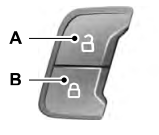
The power door lock control is on the driver and front passenger door panels.