
Kia Picanto: Lane Keeping Assist (LKA): (if equipped) / Lane Keeping Assist operation
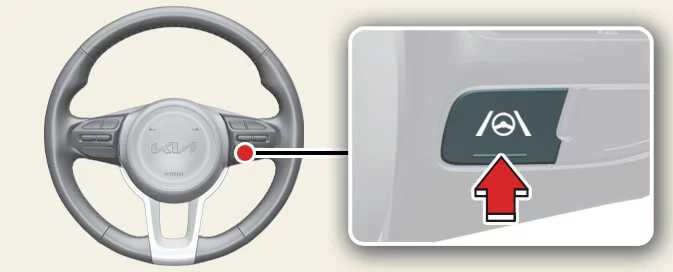
Turning Lane Keeping Assist On/Off
|
For Europe/Australia/Russia
Lane Keeping Assist switches on automatically whenever the vehicle is started. A grey indicator light ( ) appears in the instrument
cluster to show that the function is enabled.
) appears in the instrument
cluster to show that the function is enabled.
To switch Lane Keeping Assist off, press and hold the Lane Driving Assist button ( ). The indicator light (
 ) turns yellow to confirm that
the function has been disabled.
) turns yellow to confirm that
the function has been disabled.
Except Europe/Australia/Russia
With the vehicle switched on, press and hold the steering wheel Lane Driving Assist button ( ) to turn Lane Keeping Assist on or
off.
) to turn Lane Keeping Assist on or
off.
When the function is enabled, a grey or green indicator ( ) illuminates in the instrument
cluster, depending on whether its operating conditions are met. When you switch the function off, the indicator
(
) illuminates in the instrument
cluster, depending on whether its operating conditions are met. When you switch the function off, the indicator
( ) turns yellow.
NOTE
-
A green indicator (
 ) illuminates when
the operating requirements for Lane Keeping Assist are satisfied.
) illuminates when
the operating requirements for Lane Keeping Assist are satisfied. -
A grey indicator (
 ) illuminates
when the function is enabled but its operating requirements are not met.
) illuminates
when the function is enabled but its operating requirements are not met.
Warning and control
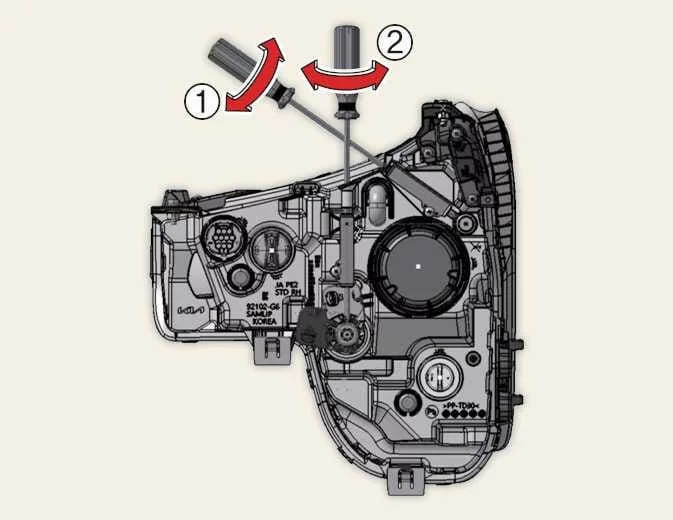
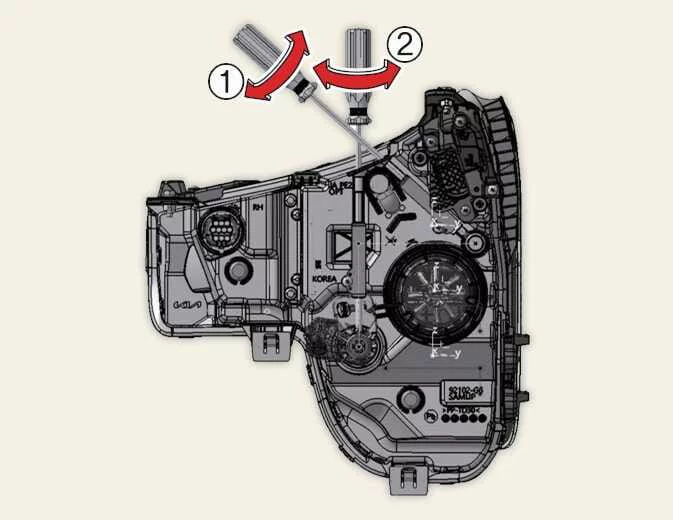
Lane Keeping Assist in the Kia Picanto uses the following warning and steering-assistance functions to help you recognise and respond to an unintended lane departure:
-
Lane Departure Warning alerts you when the vehicle begins leaving its detected lane.
-
Lane Keeping Assist provides steering assistance to help keep the vehicle within the lane.
|
|
Lane Departure Warning
Lane Departure Warning alerts you through the green indicator () in the
instrument cluster, a flashing indication on the side of the departure and an audible warning. These alerts identify
the direction in which the vehicle is leaving its lane.
Lane Departure Warning can activate when the following detection and speed conditions are satisfied:
-
Lane markings or a road boundary are detected, and your driving speed is approximately 60–200 km/h (40–120 mph).
Lane Keeping Assist
During steering assistance, the green indicator () flashes in the instrument
cluster. The system makes steering adjustments to help keep the vehicle inside the detected lane.
Lane Keeping Assist can activate under the following conditions:
-
Lane markings or a road boundary are detected, and your driving speed is approximately 60–200 km/h (40–120 mph).
WARNING
Lane Keeping Assist does not operate below 55 km/h (35 mph) or above 210 km/h (130 mph). Do not expect steering assistance outside these limits.
Hands-off warning
|
|
A: Keep hands on steering wheel |
If you remove your hands from the steering wheel for several seconds, a warning message appears in the instrument cluster. An audible warning also sounds in stages to prompt you to hold the wheel again.
WARNING
-
Steering assistance may be unavailable if you grip the wheel very tightly or turn it beyond a certain angle. Do not assume that the system will assist with every steering input.
-
Lane Keeping Assist is not active in every situation. You remain responsible for steering safely and keeping the vehicle within its lane, regardless of whether assistance is available.
-
Road conditions may delay the hands-off warning. Keep your hands on the steering wheel throughout driving rather than waiting for the message to appear.
-
If you hold the wheel too lightly, the system may not recognise your hands and may display the hands-off warning even though you are touching it.
-
Attaching objects to the steering wheel may interfere with hands-off detection and prevent the warning from operating correctly.
NOTE
-
You can steer the vehicle yourself while Lane Keeping Assist is providing assistance. The system’s intervention does not remove your ability or responsibility to control the wheel.
-
The steering wheel may feel heavier or lighter during Lane Keeping Assist intervention than it does without assistance. This change in feel can accompany the system’s steering adjustments.
Figure 1. Lane undetected
Figure 2. Lane detected
-
When the system detects lane markings or road edges, the corresponding lane lines in the instrument cluster change from grey to white.
-
The lane lines displayed in the instrument cluster may not exactly match the actual markings on the road. Continue to judge the lane boundaries by observing the road itself.
-
The images and colours shown in your Kia Picanto may vary according to the instrument cluster fitted and the theme selected in the settings menu.
-
For further information about the instrument cluster and its displays, refer to “LCD display”.
 Lane Keeping Assist settings
Lane Safety
A: Driver Assistance
With the vehicle switched on, selec..
 Lane Keeping Assist malfunction and limitations
Lane Keeping Assist malfunction
A: Check Lane Safety system
If Lane Ke..
Other information:
Ford Explorer 2020-2026 Service Manual: Removal and Installation - Steering Column Telescopic Motor
Removal NOTE: Removal steps in this procedure may contain installation details. Remove the steering column. Refer to: Steering Column (211-04 Steering Column, Removal and Installation). NOTE: Note the position of the component before removal...
Ford Explorer 2020-2026 Owners Manual: Child Safety Locks
When these locks are set, you cannot open the rear doors from the inside. A child safety lock is on the rear edge of each rear door. You must set the child safety lock separately on each door. Left-Hand Side Turn the key clockwise to switch the child lock on and counter clockwise to switch it off...
Categories
- Manuals Home
- 6th Generation Explorer Owners Manual
- 6th Generation Explorer Service Manual
- Removal and Installation - All-Wheel Drive (AWD) Module
- Fuel Filler Funnel Location & Running Out of Fuel
- Engine
- New on site
- Most important about car
Child Safety Locks
When these locks are set, you cannot open the rear doors from the inside.
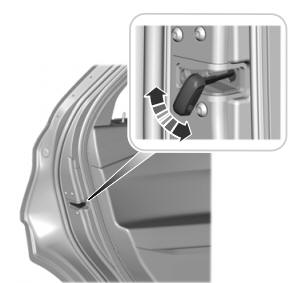
A child safety lock is on the rear edge of each rear door. You must set the child safety lock separately on each door.
Left-Hand Side
