Ford Explorer: Supplemental Restraint System / Removal and Installation - C-Pillar Side Impact Sensor
Special Tool(s) / General Equipment
| Interior Trim Remover |
Removal
.jpg) WARNING:
The following procedure prescribes critical repair steps
required for correct restraint system operation during a crash. Follow
all notes and steps carefully. Failure to follow step instructions may
result in incorrect operation of the restraint system and increases the
risk of serious personal injury or death in a crash.
WARNING:
The following procedure prescribes critical repair steps
required for correct restraint system operation during a crash. Follow
all notes and steps carefully. Failure to follow step instructions may
result in incorrect operation of the restraint system and increases the
risk of serious personal injury or death in a crash.
NOTE: LH (left-hand) shown, RH (right-hand) similar.
NOTE: Removal steps in this procedure may contain installation details.
-
Refer to: Pyrotechnic Device Health and Safety Precautions (100-00 General Information, Description and Operation).
WARNING:
Before beginning any service procedure in this
manual, refer to health and safety warnings in section 100-00 General
Information. Failure to follow this instruction may result in serious
personal injury.
-
Depower the SRS.
Refer to: Supplemental Restraint System (SRS) Depowering (501-20B Supplemental Restraint System, General Procedures).
-
Position the rear door weather-strip aside.
.jpg) |
-
Release the clips and remove the rear door scuff plate trim panel.
Use the General Equipment: Interior Trim Remover
.jpg) |
Vehicles with police package
-
Release the clips and remove the rear door scuff plate trim panel.
Use the General Equipment: Interior Trim Remover
.jpg) |
All vehicles
-
Fold the second row outboard seat to the easy entry position.
.jpg) |
-
Position the cargo hook bolt cover aside.
.jpg) |
-
Remove the cargo hook bolt and the cargo hook.
Torque: 44 lb.in (5 Nm)
.jpg) |
-
NOTE: Second row seat removed for clarity.
Release the clips and position the loadspace trim panel away enough to access the C-pillar side impact sensor.
.jpg) |
-
Remove the C-pillar side impact sensor.
-
Disconnect the electrical connector.
-
Remove the bolt.
Torque: 106 lb.in (12 Nm)
-
Remove the C-pillar side impact sensor.
-
Disconnect the electrical connector.
.jpg) |
Installation
-
NOTE: The C-pillar side impact sensor mating surfaces must be smooth and allow for a flush attachment to each other.
To install, reverse the removal procedure.
-
Repower the SRS.
Refer to: Supplemental Restraint System (SRS) Repowering (501-20B Supplemental Restraint System, General Procedures).
 Removal and Installation - Clockspring
Removal
WARNING:
The following procedure prescribes critical repair steps
required for correct restraint system operation during a crash. Follow
all notes and steps carefully...
 Removal and Installation - Driver Airbag
Removal
WARNING:
The following procedure prescribes critical repair steps
required for correct restraint system operation during a crash. Follow
all notes and steps carefully...
Other information:
Ford Explorer 2020-2025 Owners Manual: Child Safety Locks
When these locks are set, you cannot open the rear doors from the inside. A child safety lock is on the rear edge of each rear door. You must set the child safety lock separately on each door. Left-Hand Side Turn the key clockwise to switch the child lock on and counter clockwise to switch it off...
Ford Explorer 2020-2025 Owners Manual: CD (If equipped)
Once you select this option, the system returns you to the main audio screen. The current audio information appears on the screen. The following buttons are also available: You can use the forward, reverse, pause or play buttons to control the audio playback...
Categories
- Manuals Home
- 6th Generation Explorer Owners Manual
- 6th Generation Explorer Service Manual
- Removal and Installation - All-Wheel Drive (AWD) Module
- General Procedures - Rear Camber Adjustment
- Removal and Installation - Liftgate Trim Panel
- New on site
- Most important about car
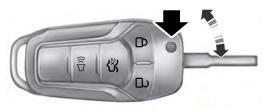
Integrated Keyhead Transmitter (If Equipped)
Use the key blade to start your vehicle and unlock or lock the driver door from outside your vehicle. The integrated keyhead transmitter functions as a programmed ignition key that operates all the locks and starts your vehicle, as well as a remote control.