
Ford Explorer: Engine System - General Information / General Procedures - Powertrain/Drivetrain Mount Neutralizing
Ford Explorer 2020-2026 Service Manual / Powertrain / Engine / Engine System - General Information / General Procedures - Powertrain/Drivetrain Mount Neutralizing
Adjustment
NOTE: Refer to the appropriate section and procedure for special instructions on loosening and tightening mount fasteners.
-
Refer to: Jacking and Lifting - Overview (100-02 Jacking and Lifting, Description and Operation).
-
Loosen, but do not remove, the powertrain/drivetrain mount fasteners.
-
Lower the vehicle.
-
NOTE: Do not twist or strain the powertrain/drivetrain mounts or damage to the mounts may occur.
Start the vehicle and move it in forward 0.6 m (1.97 ft) - 1.2 m (3.94 ft). Then move the vehicle in reverse the same distance.
-
Raise and support the vehicle.
-
Tighten the powertrain/drivetrain mount fasteners.
-
Lower the vehicle.
-
Test the system for normal operation.
 General Procedures - Piston Selection
Check
NOTE:
Refer to the appropriate Section 303-01 for the specifications.
NOTE:
The cylinder bore must be within the specifications for taper and out-of-round before fitting a piston..
 General Procedures - RTV Sealing Surface Cleaning and Preparation
Special Tool(s) /
General Equipment
Plastic Scraper
Nylon Bristle Disk
Plastic Razor Blade
Lint-Free Towel
Isopropyl Alcohol – 90 Percent Minimum
Materials
Name
Spec..
Other information:
Ford Explorer 2020-2026 Service Manual: Removal and Installation - Steering Wheel Multifunction Switch
Removal NOTE: Removal steps in this procedure may contain installation details. NOTE: Vehicles with paddle switches shown others similar. Remove the steering wheel. Refer to: Steering Wheel (211-04 Steering Column, Removal and Installation)...
Ford Explorer 2020-2026 Service Manual: Removal and Installation - Rocker Panel Inner Reinforcement
Special Tool(s) / General Equipment Resistance Spotwelding Equipment Spherical Cutter Hot Air Gun Air Body Saw 8 mm Drill Bit MIG/MAG Welding Equipment Spot Weld Drill Bit Locking Pliers Materials Name Specification Metal Bonding AdhesiveTA-1, TA-1-B, 3M™ 08115, LORD Fusor® 108B - Seam SealerTA-2-B, 3M™ 08308, LORD Fusor® 805..
Categories
- Manuals Home
- 6th Generation Explorer Owners Manual
- 6th Generation Explorer Service Manual
- Fuel Filler Funnel Location & Running Out of Fuel
- Auxiliary Power Points
- Interior Trim and Ornamentation
- New on site
- Most important about car
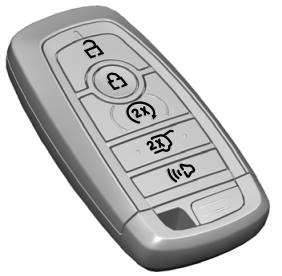
Intelligent Access Key
Note: You may not be able to shift out of park (P) unless the intelligent access key is inside your vehicle.

Copyright © 2026 www.foexplorer.com