Kia Picanto: Instrument cluster / LCD display control
Use the control buttons on the steering wheel to change the instrument cluster LCD display modes. The controls differ according to the type fitted, as shown below.
-
Type A
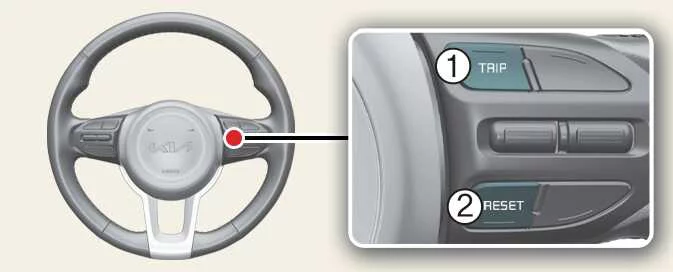
-
TRIP: Press this button to change between the available display modes.
-
RESET: Use this button to reset the selected display item.
-
Type B
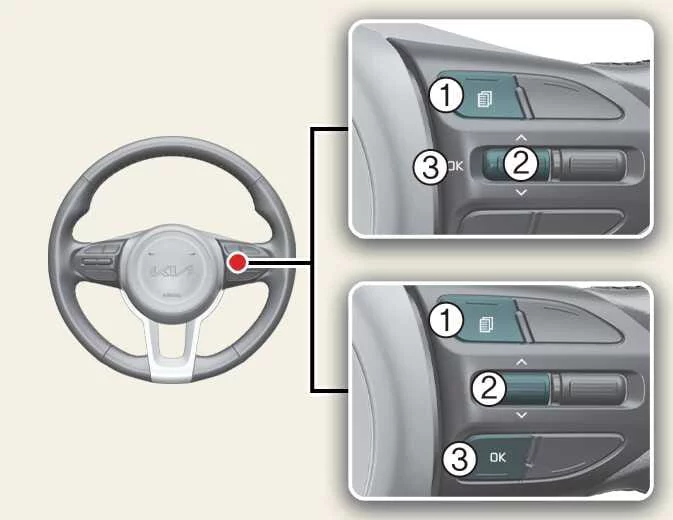
-
 MODE: Press this button to change the LCD display
mode.
MODE: Press this button to change the LCD display
mode. -
∧/∨ — MOVE: Use the up/down scroll switch to move through and select the available items.
-
OK — SET/RESET: Use this button to set or reset the selected item, according to the function displayed.
 Instrument cluster
Figure 1. Type A
Figure 2. Type B
Figure 3. Type C
Speedometer: Displays the vehicle’s travelling speed.
Tachometer: Indicates engine speed...
 Gauges
Speedometer
Figure 1. Type A
Figure 2...
Other information:
Ford Explorer 2020-2026 Service Manual: Removal and Installation - Ignition Switch - Vehicles With: Keyless Vehicle System
Removal NOTE: Removal steps in this procedure may contain installation details. Release the clips and remove the trim panel. Remove the retainers. Torque: 22 lb.in (2.5 Nm) Release the clips and and position the instrument panel center trim panel aside...
Kia Picanto 2024-2026 Owner's Manual: Forward Collision-Avoidance Assist malfunction
A: Check Forward Safety system If Forward Collision-Avoidance Assist is not functioning correctly, the instrument cluster displays a warning message together with the Forward Safety warning light () and the Master warning light ()...
Categories
- Manuals Home
- 6th Generation Explorer Owners Manual
- 6th Generation Explorer Service Manual
- Removal and Installation - All-Wheel Drive (AWD) Module
- Fuel Filler Funnel Location & Running Out of Fuel
- Driveline
- New on site
- Most important about car
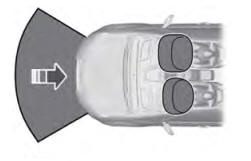
Driver and Passenger Airbags
WARNING: Do not place your arms on the airbag cover or through the steering wheel. Failure to follow this instruction could result in personal injury.
WARNING: Keep the areas in front of the airbags free from obstruction. Do not affix anything to or over the airbag covers. Objects could become projectiles during airbag deployment or in a sudden stop. Failure to follow this instruction could result in personal injury or death.
WARNING: Airbags can kill or injure a child in a child restraint. Never place a rear-facing child restraint in front of an active airbag. If you must use a forward-facing child restraint in the front seat, move the seat upon which the child restraint is installed all the way back.