Kia Picanto: Driver assistance guide / Lane Following Assist (LFA): (if equipped)
Lane Following Assist uses detected lane markings and, where available, the vehicle ahead to help keep the Kia Picanto centred in its lane. The driver must continue to monitor the road and steer as needed.
Detecting sensor
|
Figure 1. Front view camera 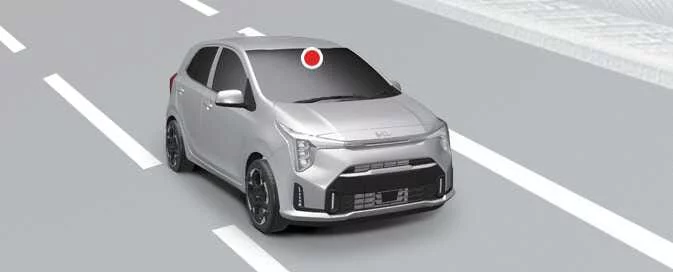
|
The front view camera detects lane markings and vehicles ahead for Lane Following Assist.
The illustration above shows the location of the detecting sensor in the Kia Picanto.
CAUTION
For information about precautions related to the front view camera, refer to the section on Forward Collision-Avoidance Assist (FCA) (Sensor Fusion).
Lane Following Assist settings. Warning Methods
Warning Methods
 |
 |
A: Driver Assistance
To adjust the warning methods, switch on the Kia Picanto and open the relevant settings. On the instrument cluster, select User Settings > Driver Assistance > Warning Methods. On the infotainment system, select Setup > Vehicle > Driver Assistance > Warning Methods. The available options are:
-
Warning Volume: Sets the volume of driver assistance warning sounds.
-
Driving Safety Priority: Lowers the volume of other audio while a Driving Safety system warning is sounding.
TIP
-
A change to Warning Methods may affect multiple driver assistance functions. Review the warning settings for each function and adjust them as needed.
-
After the vehicle is restarted, the Warning Methods menu retains the most recently selected settings.
-
Depending on the Kia Picanto’s equipment, some settings may not be available.
Lane Following Assist operation
Turning Lane Following Assist On/Off
|
With the Kia Picanto switched on, briefly press the Lane Driving Assist button on the steering wheel to activate Lane
Following Assist. A grey or green indicator light () will
appear on the instrument cluster to show the system’s status.
Press the Lane Driving Assist button again to switch Lane Following Assist off.
Warning and control
Lane Following Assist
|
When the system detects the vehicle ahead and/or both lane markings, and the Kia Picanto is travelling below 150 km/h
(95 mph), a green indicator () appears on the instrument
cluster. Lane Following Assist can then provide steering support to help keep the vehicle centred in its lane.
CAUTION
If steering assistance is unavailable, the white indicator (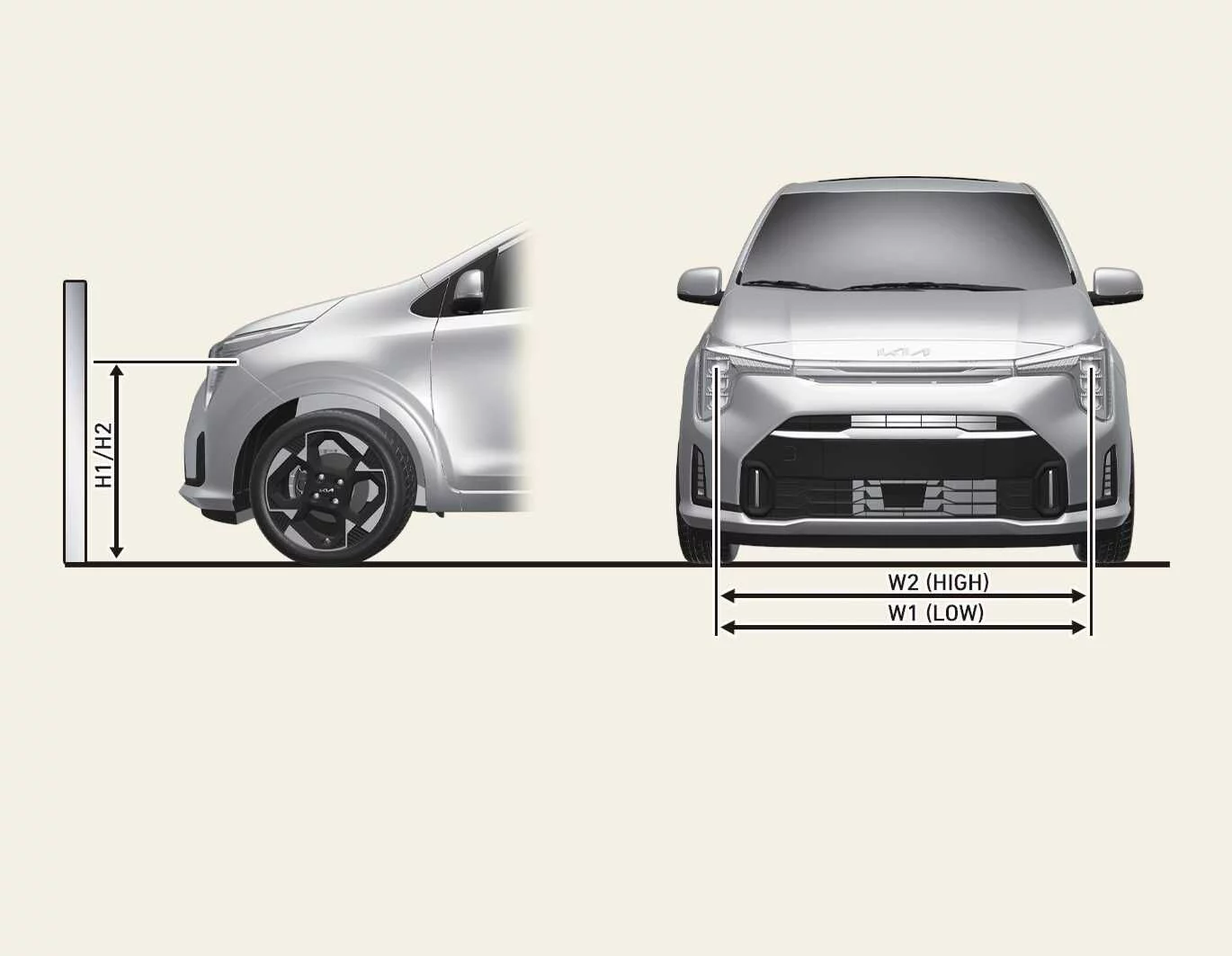 )
flashes and then changes to grey.
)
flashes and then changes to grey.
Hands-off warning
|
A: Keep hands on the steering wheel |
If the system detects that the driver has taken their hands off the steering wheel for a period of time, it displays a warning on the instrument cluster and sounds an alert. The warning is given in stages:
-
First stage: A warning message appears on the instrument cluster.
-
Second stage: A warning message with a red steering wheel symbol appears, accompanied by an audible alert.
|
|
A: Lane Following Assist deactivated |
If the driver continues without placing their hands on the steering wheel after the hands-off warning, Lane Following Assist is cancelled automatically.
WARNING
-
Steering assistance may not be provided if you grip the steering wheel very firmly or turn it beyond a certain angle.
-
Lane Following Assist is not available in every situation. The driver must steer safely and keep the Kia Picanto within its lane at all times.
-
Road conditions may delay the hands-off warning. Keep your hands on the steering wheel whenever you are driving.
-
If you hold the steering wheel very lightly, the system may not recognise that your hands are on it and may display the hands-off warning.
-
Objects attached to the steering wheel may prevent the hands-off warning from working correctly.
NOTE
-
When both lane markings are detected, the lane lines shown on the instrument cluster change from grey to white.
Figure 1. Lane not detected
Figure 2. Lane detected
-
Instrument cluster graphics and colours may vary with the cluster type or the theme selected in the settings menu.
-
The lane lines shown on the instrument cluster may not match the markings on the road exactly.
-
If lane markings cannot be detected, steering support may be limited depending on whether a vehicle is ahead and on the Kia Picanto’s driving conditions.
-
The driver can steer the vehicle at any time, even while Lane Following Assist is providing steering support.
-
The steering wheel may feel heavier or lighter while Lane Following Assist is providing support than it does when the system is not assisting.
Lane Following Assist malfunction and limitations
Lane Following Assist malfunction
|
A: Check Lane Following Assist system |
If Lane Following Assist detects a system fault, a warning message appears along with the Master warning light () on the instrument cluster.
If this warning appears, have the system inspected by a professional workshop. Kia recommends contacting an authorised Kia dealer or service partner.
Limitations of Lane Following Assist
For more information about situations that can limit Lane Following Assist, refer to the section on Lane Keeping Assist (LKA).
WARNING
-
For further information about Lane Following Assist warnings, refer to the section on Lane Keeping Assist (LKA).
-
Exceeding the maximum load allowance or placing cargo weight in one concentrated area of the load compartment can affect vehicle stability and reduce the effectiveness of Lane Following Assist.
 Lane Keeping Assist malfunction and limitations
Lane Keeping Assist malfunction
A: Check Lane Safety system
If Lane Ke..
 Blind-Spot Collision-Avoidance Assist (BCA): (if equipped)
Blind-Spot Collision-Avoidance Assist monitors areas beside and behind the Kia Picanto for approaching vehicles. If
it detects a possible collision, it can alert the driver with a warning light a..
Other information:
Kia Picanto 2024-2026 Owner's Manual: Automated Manual Transmission (AMT) instruction label. Lever shifting condition
Automated Manual Transmission (AMT) instruction label Before driving, read the AMT instruction label attached to the driver’s sunvisor. Follow the operating guidance on this label when using the transmission. Lever shifting condition Shift lever movement Required shifting conditions Response when shifting conditions are not met ..
Ford Explorer 2020-2026 Service Manual: Removal and Installation - Driver Front Seat Module (DSM)
Removal NOTE: Seat with DSM (driver front seat module) and SCME (front seat climate control module) shown, without similar. NOTE: This step is only necessary when installing a new component. NOTE: The PMI (programmable module installation) process must begin with the current DSM (driver front seat module) installed...
Categories
- Manuals Home
- 6th Generation Explorer Owners Manual
- 6th Generation Explorer Service Manual
- General Procedures - Brake Service Mode Activation and Deactivation
- Electric Parking Brake
- Auxiliary Power Points
- New on site
- Most important about car
Intelligent Access Key
Note: You may not be able to shift out of park (P) unless the intelligent access key is inside your vehicle.