Kia Picanto: Controls and Features / Infotainment system
NOTE
-
Installing aftermarket HID headlamps may interfere with the Kia Picanto audio system and other electronic equipment, potentially causing them to malfunction.
-
Metallic window tint film may affect the operation of the Hi-Pass communication system, radio reception, connected car services and automatic headlight activation. Take care during installation: tint application solution that seeps into the vehicle may reach electronic components and cause them to fail.
If your Kia Picanto is equipped with an infotainment system, consult the separately supplied infotainment manual for detailed operating instructions and information about its features.
Antenna
Micro-pole antenna
|
Figure 1. Type A 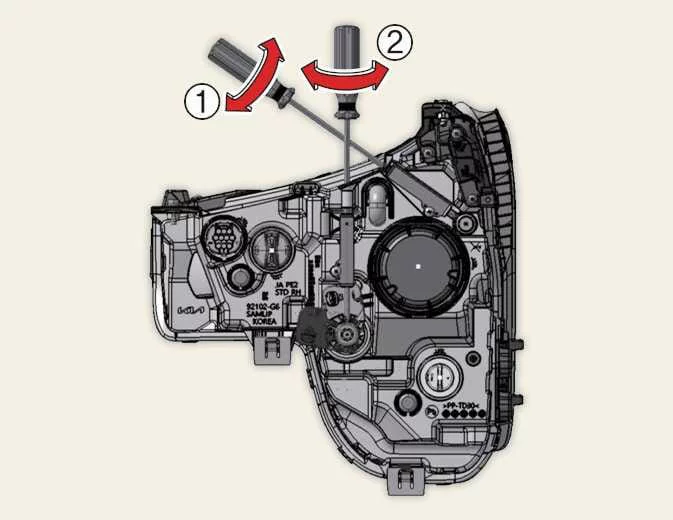
|
Figure 2. Type B 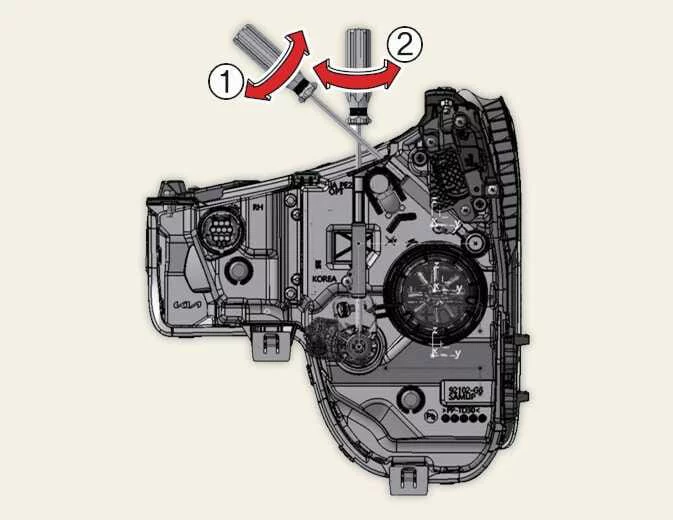
|
The micro-pole antenna receives AM/FM radio signals. Its removable design allows the antenna pole to be detached when necessary.
Turn the antenna anticlockwise to remove it. To reinstall it, turn the antenna clockwise into its mounting.
CAUTION
-
Before entering an automated parking facility, a low-ceiling area or an automatic car wash, check that there is sufficient clearance for the antenna. Avoid bending or damaging the pole. If removal is necessary, turn the antenna anticlockwise to detach it before entering.
-
When loading items onto the roof rack, keep the load clear of the antenna. Contact with cargo may damage the antenna and impair radio reception.
-
Do not attach additional accessories to the antenna pole. They may reduce reception quality and place strain on the pole, causing it to bend.
Shark-fin antenna
The shark-fin antenna supports signal functions including AM/FM radio and GPS. It also transmits and receives additional signals according to the equipment and options fitted to the vehicle.
NOTE
-
Check the vehicle’s overall height and available clearance before entering low-ceiling areas, including automated parking facilities and automatic car washes. Insufficient clearance may result in antenna damage.
-
Keep roof rack cargo away from the shark-fin antenna when loading and securing items. Contact with the antenna may damage it and reduce its signal transmission or reception performance.
USB port : (if equipped)
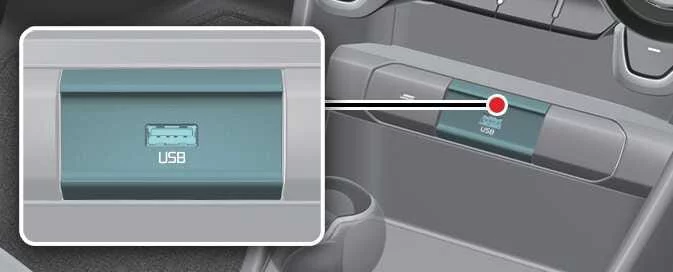
The USB port provides a connection point for a USB device. For details about using connected devices with your Kia Picanto infotainment system, refer to the separately supplied infotainment manual.
How vehicle audio works. Using a mobile phone or a twoway radio
FM reception
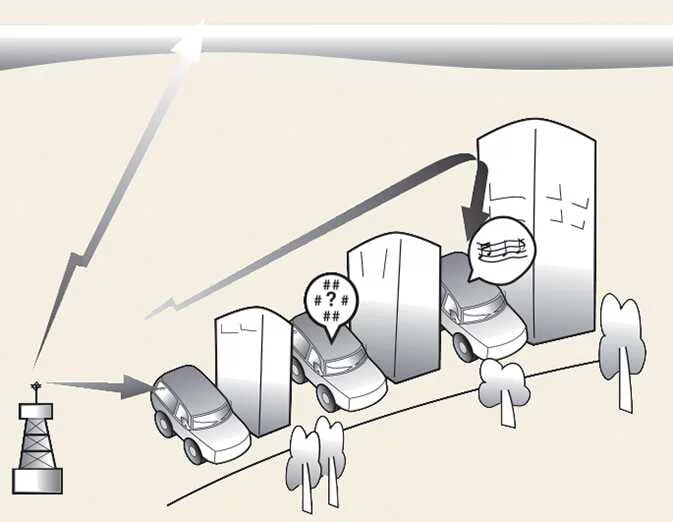
AM and FM stations broadcast radio signals from transmitter towers around your city and the surrounding area. The antenna on your Kia Picanto picks up these signals and passes them to the radio, which processes the broadcast and delivers sound through the vehicle’s speakers.
When a strong, clear signal reaches the vehicle, the infotainment system can reproduce the broadcast with good sound quality. Reception conditions can change as you travel, however, and the incoming signal may sometimes be too weak or disrupted to provide consistently clear audio.
Several factors can affect reception, including your distance from the transmitting station, nearby stations broadcasting strong signals, and large obstacles such as buildings or bridges. Changes in sound quality may therefore reflect the surrounding reception conditions rather than a fault in the audio system.
AM reception
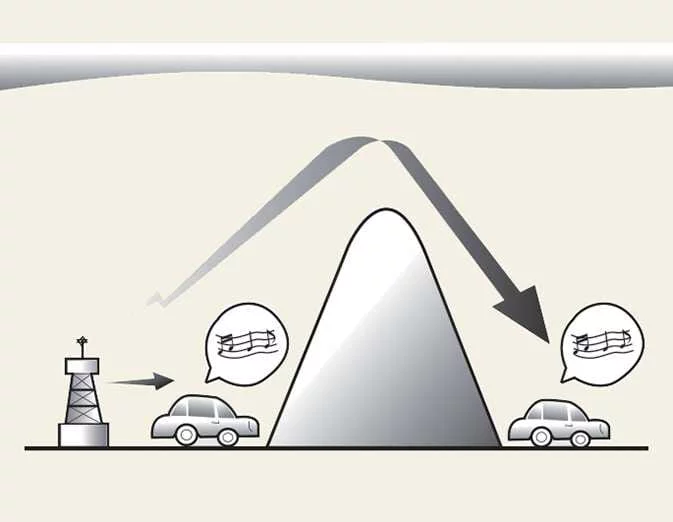
AM broadcasts can generally be received over greater distances than FM broadcasts because they use lower frequencies. These longer radio waves can follow the curvature of the earth instead of travelling straight out into the atmosphere. They can also bend around obstructions, helping AM broadcasts provide coverage in places where a more direct signal path is unavailable.
FM radio station
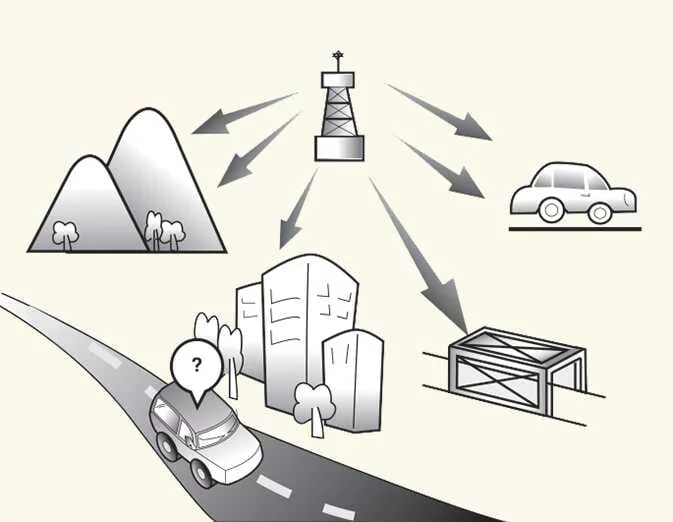
FM broadcasts use higher frequencies and do not bend to follow the earth’s surface in the same way as AM signals. Their reception range is therefore generally shorter, and the signal may begin to fade as the vehicle moves away from the station. Buildings, mountains and other obstructions can also interrupt FM reception. The resulting changes in sound may suggest a radio fault, but the following effects are normal reception conditions and do not, by themselves, indicate a problem with your Kia Picanto radio:
-
Fading: As the vehicle travels farther from the transmitting station, the signal becomes weaker and the sound may gradually fade. If reception becomes difficult to hear clearly, select another station with a stronger signal in your current location.
-
Flutter or static: A weak FM signal, or a large obstruction between the transmitter and the vehicle, can disturb reception and produce static or fluttering noises. Lowering the treble setting may make this interference less noticeable until the reception conditions improve.
-
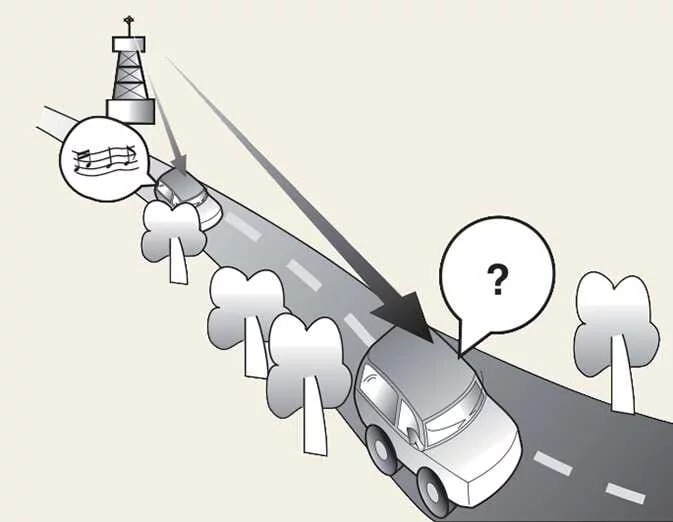
Station swapping: When the selected FM signal weakens, a stronger station broadcasting on a nearby frequency may begin to play instead. This can happen because the radio is designed to lock onto the clearest available signal. Select another station with stronger reception if this occurs.
-
Multi-path cancellation: Signals arriving from different directions can cause distortion or fluttering. This may occur when the radio receives both direct and reflected signals from the same station, or signals from two stations using closely spaced frequencies. Temporarily select another station until you have passed the affected area.
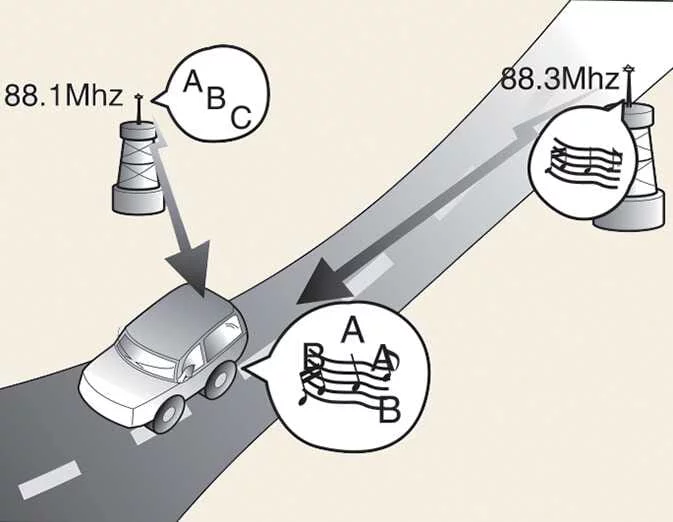
Using a mobile phone or a twoway radio
Using a mobile phone inside the vehicle may cause noise through the audio system. This interference does not necessarily mean that the audio equipment is faulty. If it occurs, increase the distance between the phone and the audio equipment as much as possible when using the phone.
CAUTION
When using a communication system such as a mobile phone or radio set inside the vehicle, a separate external antenna must be fitted. Operating this equipment with only an internal antenna may interfere with the vehicle’s electrical system and adversely affect safe vehicle operation.
WARNING
Do not use a mobile phone while driving. Stop the vehicle in a safe location before using the phone so that your attention remains on controlling the vehicle while it is moving.
iPod®
iPod® is a trademark of Apple Inc.
Bluetooth® Wireless Technology
The Bluetooth® word mark and logos are registered trademarks owned by Bluetooth SIG, Inc. Kia uses these marks under licence. All other trademarks and trade names belong to their respective owners.
 Shopping bag holder. Clothes hanger
Shopping bag holder
CAUTION
Do not hang a bag weighing more than 3 kg (7 lbs.) from the holder. Exceeding this limit may
damage the shopping bag holder...
 Driving your vehicle
WARNING
ENGINE EXHAUST CAN BE DANGEROUS!
Engine exhaust fumes pose a serious danger. If you notice an exhaust smell inside your Kia Picanto at any time, open
the windows immediately...
Other information:
Ford Explorer 2020-2026 Owners Manual: Side Sensing System (If Equipped)
WARNING: The system may not detect objects with surfaces that absorb reflection. Always drive with due care and attention. Failure to take care may result in a crash. WARNING: The system may not detect small or moving objects, particularly those close to the ground...
Kia Picanto 2024-2026 Owner's Manual: Steering wheel
Motor Driven Power Steering : (if equipped) Motor Driven Power Steering (MDPS) uses an electric motor to assist your steering movements and reduce the effort needed to turn the wheel. If the engine is switched off or the assistance system becomes inoperative, you can still steer the vehicle, but turning the wheel will require greater physical effort...
Categories
- Manuals Home
- 6th Generation Explorer Owners Manual
- 6th Generation Explorer Service Manual
- Automatic Transmission
- Auxiliary Power Points
- Engine - 2.3L EcoBoost (201kW/273PS)
- New on site
- Most important about car
Driver and Passenger Airbags
WARNING: Do not place your arms on the airbag cover or through the steering wheel. Failure to follow this instruction could result in personal injury.
WARNING: Keep the areas in front of the airbags free from obstruction. Do not affix anything to or over the airbag covers. Objects could become projectiles during airbag deployment or in a sudden stop. Failure to follow this instruction could result in personal injury or death.
WARNING: Airbags can kill or injure a child in a child restraint. Never place a rear-facing child restraint in front of an active airbag. If you must use a forward-facing child restraint in the front seat, move the seat upon which the child restraint is installed all the way back.