Kia Picanto: Driver Attention Warning (DAW): (if equipped) / Driver Attention Warning malfunction and limitations
Driver Attention Warning malfunction
 |
A: Check Driver Attention Warning system |
If Driver Attention Warning detects a fault, a warning message appears on the instrument cluster for a limited time
and the Master warning light ( ) illuminates.
If this happens, have the system inspected by a professional workshop. Kia recommends contacting an authorised Kia dealer or service partner.
Driver Attention Warning disabled
|
A: Driver Assistance system limited. Camera obscured. |
Snow, rain or other material covering the sensors or the windscreen in front of the camera can reduce detection performance and temporarily limit or disable Driver Attention Warning.
If this occurs, a warning message and the Master warning light () appear on the
instrument cluster. This indicates that system operation is limited.
Clear the snow, rain or other material from the affected area. Driver Attention Warning should resume normal operation once the obstruction has been removed. Keep the camera area clean.
If the system does not work correctly after the obstruction has been cleared, have it inspected by an authorised Kia dealer or service partner.
WARNING
-
Driver Attention Warning may not operate correctly just after the Kia Picanto is switched on if there are no objects to detect, such as in open terrain, or if a detecting sensor is covered with foreign material.
-
Restarting the vehicle may not restore normal operation while a sensor remains obstructed or a system fault persists.
Limitations of Driver Attention Warning
Driver Attention Warning may not assess driving patterns accurately in the following situations:
-
The Kia Picanto is driven aggressively or with frequent abrupt manoeuvres.
-
The vehicle repeatedly crosses lane markings on purpose.
-
A driver assistance function, such as Lane Keeping Assist, is controlling the vehicle.
-
Lane markings are faint, blurred or no longer visible.
Leading Vehicle Departure Alert function
-
When another vehicle cuts in
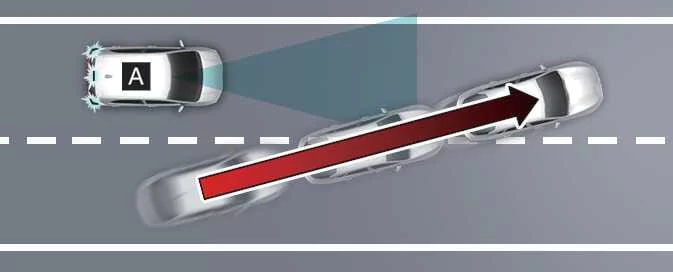
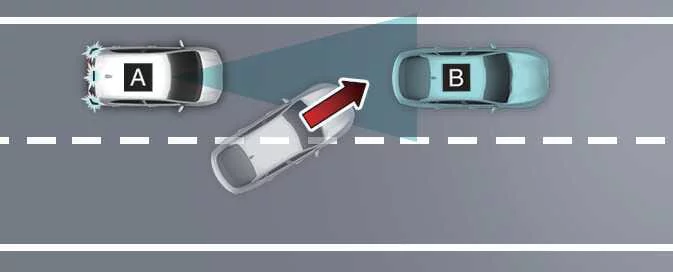
A: Your vehicle; B: Vehicle ahead
If another vehicle moves into the space in front of the Kia Picanto, Leading Vehicle Departure Alert may not identify the correct vehicle or operate as expected.
-
When the vehicle ahead turns sharply
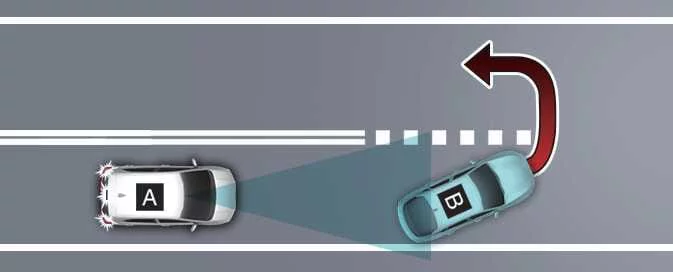
A: Your vehicle; B: Vehicle ahead
If the vehicle in front turns sharply, such as when turning left or right or making a U-turn, Leading Vehicle Departure Alert may not operate correctly.
-
When the vehicle ahead moves off abruptly
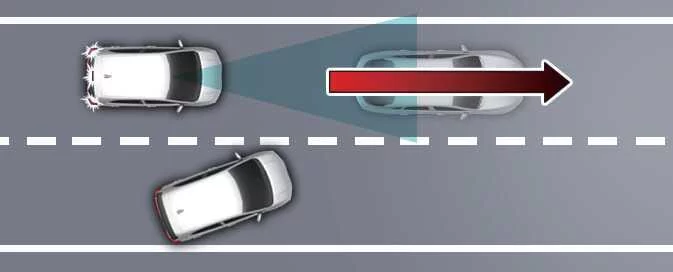
If the vehicle ahead pulls away suddenly, Leading Vehicle Departure Alert may not respond as intended.
-
When a pedestrian or bicycle is between your vehicle and the vehicle ahead
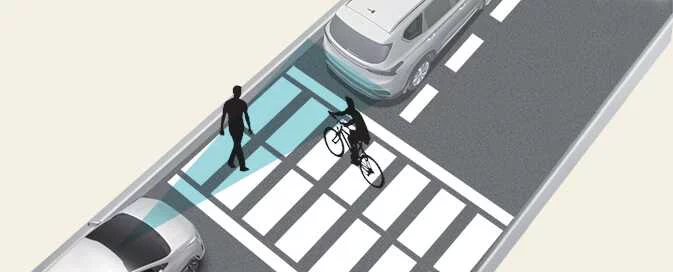
If a pedestrian or bicycle is between the Kia Picanto and the vehicle in front, Leading Vehicle Departure Alert may not operate correctly.
-
In a car park
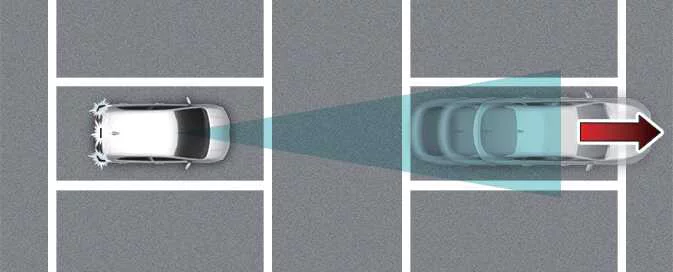
If a parked vehicle in front of the Kia Picanto drives away, Leading Vehicle Departure Alert may interpret this movement as the vehicle ahead pulling off and issue an alert.
-
At a tollgate or intersection
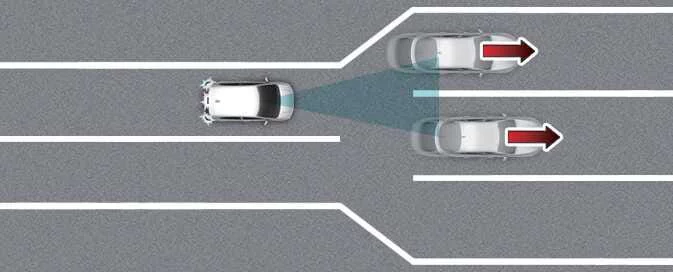
Leading Vehicle Departure Alert may not operate correctly when passing through a busy tollgate or intersection, or where lanes frequently merge or divide.
WARNING
Driver Attention Warning may be unavailable for approximately 15 seconds after the Kia Picanto is started or while the front view camera is initializing.
NOTE
For precautions concerning the front view camera, refer to the section on Forward Collision-Avoidance Assist (FCA) (Sensor Fusion).
 Driver Attention Warning settings. Leading Vehicle Departure Alert. Driver Attention Warning operation
Driver Attention Warning settings. Leading Vehicle Departure Alert
Leading Vehicle Departure Alert
A: Driver Assistance
With the Kia P..
 Cruise Control (CC): (if equipped). Cruise Control operation
Cruise indicator
..
Other information:
Kia Picanto 2024-2026 Owner's Manual: Weight/volume. Air conditioning system
Weight/volume The tables below list gross vehicle weight and luggage capacity for the Kia Picanto specifications shown. Choose the table for the relevant market, seating configuration, engine and transmission before referring to a figure. Transmission abbreviations identify a five-speed manual (5M/T), five-speed automated manual (5AMT) or four-speed automatic (4A/T)...
Ford Explorer 2020-2026 Service Manual: Removal and Installation - Second Row Single Seat Armrest - Vehicles With: Second Row Captain Chairs
Removal NOTE: Removal steps in this procedure may contain installation details. Unzip the second row single seat armrest cover. Remove the second row single seat armrest. Invert the single seat armrest cover to access the armrest pivot bolt...
Categories
- Manuals Home
- 6th Generation Explorer Owners Manual
- 6th Generation Explorer Service Manual
- General Procedures - Transmission Fluid Drain and Refill
- General Service Information
- Electric Parking Brake
- New on site
- Most important about car
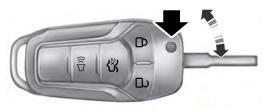
Integrated Keyhead Transmitter (If Equipped)
Use the key blade to start your vehicle and unlock or lock the driver door from outside your vehicle. The integrated keyhead transmitter functions as a programmed ignition key that operates all the locks and starts your vehicle, as well as a remote control.