Kia Picanto: Forward Collision-Avoidance Assist operation / Direct Oncoming function
The Direct Oncoming function in the Kia Picanto provides warnings and automatic brake control through the following stages, according to the detected collision risk and operating conditions:
-
Collision Warning to alert the driver to a potential impact with oncoming traffic.
-
Emergency Braking to provide braking assistance when the conditions for intervention are met.
-
Stopping the vehicle and ending automatic brake control.
Collision Warning
|
A: Collision Warning |
When Collision Warning activates, the Forward Safety warning light ( ) flashes, a warning
message appears and an audible alert sounds. These signals draw your attention to the collision risk detected ahead.
) flashes, a warning
message appears and an audible alert sounds. These signals draw your attention to the collision risk detected ahead.
Collision Warning can activate under the following speed conditions:
-
Your driving speed: Approximately 30–130 km/h (19–80 mph).
-
Oncoming vehicle or powered two-wheeler speed: Above approximately 10 km/h (6 mph).
Emergency braking
|
|
A: Emergency Braking |
During Emergency Braking, the Forward Safety warning light () flashes
while a warning message and an audible alert notify you of the intervention. Remain attentive to the road and ready
to control the vehicle.
Emergency Braking can activate when the following speed conditions and the system’s other operating requirements are satisfied:
-
Your driving speed: Approximately 30–130 km/h (19–80 mph).
-
Oncoming vehicle or powered two-wheeler speed: Above approximately 10 km/h (6 mph).
Stopping vehicle and ending brake control
|
|
A: Drive carefully |
If emergency braking brings the vehicle to a complete stop, the instrument cluster displays the “Drive carefully” warning message.
Immediately depress the brake pedal to hold the vehicle stationary and check the surrounding traffic. Take control of the stopped vehicle rather than relying on continued automatic braking.
-
Automatic brake control ends approximately 2 seconds after emergency braking has stopped the vehicle. Keep the brake pedal depressed as needed to maintain the stop.
CAUTION
-
If your vehicle or the approaching vehicle or powered two-wheeler is not travelling straight, Direct Oncoming warnings and brake control may occur late or may not operate at all.
-
The system’s ability to recognise powered two-wheelers decreases at night. Forward Collision-Avoidance Assist may therefore be temporarily limited or unavailable when detecting these road users in darkness.
NOTE
The audible alert during Collision Warning and Emergency Braking can be silenced by pressing the hazard warning light switch.
WARNING
-
Park your Kia Picanto in a safe location before changing the driver assistance settings. Make adjustments only after the vehicle is safely parked.
-
Forward Collision-Avoidance Assist does not operate in every situation and cannot prevent every collision. Its availability and intervention must never be taken for granted.
-
You remain responsible for controlling the vehicle. Do not rely solely on Forward Collision-Avoidance Assist to respond to hazards. Maintain a safe braking distance and press the brake pedal whenever necessary to reduce speed or bring the vehicle to a stop.
-
Never deliberately drive towards people, objects or other obstacles to trigger or test Forward Collision-Avoidance Assist. Attempting to provoke an intervention can result in serious injury or death.
-
The system may not activate if you are already pressing the brake pedal to avoid a collision. Continue to apply the braking required by the situation.
-
Road and driving conditions can affect the timing of an alert. Forward Collision-Avoidance Assist may warn you later than expected or may provide no warning, so continue monitoring the road yourself.
-
System intervention may stop the vehicle abruptly, potentially injuring passengers or causing unsecured items to move. Always wear your seat belt and make sure loose objects are properly secured.
-
If another function is displaying a warning message or sounding an audible alert, the Forward Collision-Avoidance Assist message or warning sound may not be provided at the same time.
-
Noise in the surrounding environment may make the audible collision warning difficult or impossible to hear. Do not depend on the warning sound alone to identify a hazard.
-
Depending on road conditions and the surrounding environment, Forward Collision-Avoidance Assist may switch off, fail to operate correctly or intervene unnecessarily.
-
A fault in Forward Collision-Avoidance Assist does not, by itself, affect the vehicle’s basic braking performance. Normal braking remains available through the brake pedal.
-
During emergency braking, the system’s brake control is automatically cancelled if you press the accelerator excessively or steer sharply. These driver inputs can override the automatic braking intervention.
CAUTION
-
The surroundings and the circumstances of pedestrians, cyclists, powered two-wheelers or other vehicles ahead can affect the operating speed range or detection range. Forward Collision-Avoidance Assist may become temporarily restricted or disabled as a result.
-
The system operates only under specific conditions. It assesses collision risk using the circumstances of the oncoming vehicle or powered two-wheeler, the direction and speed of travel, and the surrounding environment.
-
Operation may be limited or deactivated if your speed is excessively high or if there is a significant speed difference between your vehicle and an approaching powered two-wheeler or cyclist.
NOTE
-
If a collision is imminent and the driver’s braking input is insufficient, Forward Collision-Avoidance Assist may provide additional braking assistance. This support does not remove the need to respond promptly with the brake pedal.
-
The images and colours displayed in your Kia Picanto may differ from the illustrations, depending on the instrument cluster specification and the selected display theme.
 Junction Turning function
The Junction Turning function in the Kia Picanto provides collision alerts and braking assistance through the
following stages, depending on the detected risk and operating conditions:
..

Other information:
Ford Explorer 2020-2026 Service Manual: Description and Operation - Second Row Seats - Overview
Overview Heated Seats If equipped with the heated seat system, the rear seat cushion and backrest can be heated at one of two levels on demand. The components of the rear heated seat system include: Seat cushion heater mat (LH/ RH) Seat backrest heater mat (LH/ RH) Heated seat module (attached to the underside of the RH second row seat cushion frame) Heated seat switches (..
Ford Explorer 2020-2026 Service Manual: Removal and Installation - Front Seat Track
Removal WARNING: The following procedure describes critical repair steps required for correct seat component installation. Follow all notes and steps carefully. Do not place any objects between the seat components and the body of the vehicle, nor any objects within a joint internal to the seat structure...
Categories
- Manuals Home
- 6th Generation Explorer Owners Manual
- 6th Generation Explorer Service Manual
- General Procedures - Brake Service Mode Activation and Deactivation
- Description and Operation - Identification Codes
- Electric Parking Brake
- New on site
- Most important about car
Seatbelt Height Adjustment
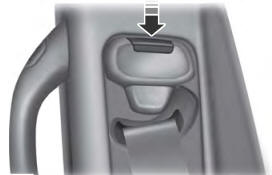
WARNING: Position the seatbelt height adjuster so that the seatbelt rests across the middle of your shoulder. Failure to adjust the seatbelt correctly could reduce its effectiveness and increase the risk of injury in a crash.