Ford Explorer: Bumpers / Removal and Installation - Rear Bumper Cover
Special Tool(s) /
General Equipment
Removal
NOTE:
Removal steps in this procedure may contain installation details.
-
With the vehicle in NEUTRAL, position it on a hoist.
Refer to: Jacking and Lifting - Overview (100-02 Jacking and Lifting, Description and Operation).
-
On both sides
Remove the inner wheel liner to rear bumper cover screws and nuts.
Torque:
1.:
13 lb.in (1.5 Nm)
2.:
22 lb.in (2.5 Nm)
-
On both sides.
Remove the push pins, release the tabs and position the rear quarter panel moulding aside.
Use the General Equipment: Interior Trim Remover
-
If equipped.
Remove the screws.
Torque:
13 lb.in (1.5 Nm)
-
Remove the screws.
Torque:
13 lb.in (1.5 Nm)
-
On both sides.
Remove the bolt.
Torque:
22 lb.in (2.5 Nm)
-
NOTE:
Vehicles with trailer tow package.
Disconnect the electrical connector, the wiring harness retainer and position the wiring harness aside.
-
If equipped.
Disconnect the electrical connector and position the wiring harness aside.
-
On both sides.
Remove the screw and the trim pin.
Torque:
18 lb.in (2 Nm)
-
Remove the rear lamp assemblies.
Refer to: Rear Lamp Assembly (417-01 Exterior Lighting, Removal and Installation).
-
On both sides.
Remove the screw.
Torque:
18 lb.in (2 Nm)
-
With the help of an assistant.
Position the rear bumper cover rearward.
-
Position the luggage compartment weatherstrip aside.
-
Release the sides of the rear bumper cover from the side brackets.
-
Using a non-marring tool, release the center of the rear bumper cover from the rear bracket.
Use the General Equipment: Interior Trim Remover
-
With the help of an assistant.
Disconnect the electrical connectors and remove the rear bumper cover.
-
On both sides.
Inspect the side bracket for damage.
-
If required, on both sides.
Remove the screws, the trim-pin and the damaged side bracket.
Torque:
18 lb.in (2 Nm)
-
If required.
Remove the screws, the trim-pin and the rear bracket.
Installation
-
To assemble, reverse the disassembly procedure.
-
If replacing the rear bumper cover.
Check the alignment of the rear parking aid and rear active park assist sensors.
Refer to: Azimuth System Check (413-13A Parking Aid - Vehicles With: Rear Parking Aid, General Procedures).
Refer to: Elevation System Check (413-13A Parking Aid - Vehicles With: Rear Parking Aid, General Procedures).
Refer to: Azimuth System Check (413-13C Parking Aid - Vehicles With: Active Park Assist, General Procedures).
-
If any sensor fails the check, diagnose the sensor fault.
Refer to: Parking Aid (413-13A Parking Aid - Vehicles With: Rear Parking Aid, Diagnosis and Testing).
Refer to: Parking Aid (413-13C Parking Aid - Vehicles With: Active Park Assist, Diagnosis and Testing).
Removal
NOTE:
Removal steps in this procedure may contain installation details.
All vehicles
Remove the rear bumper cover.
Refer to: Rear Bumper Cover (501-19 Bumpers, Removal and Inst..
Special Tool(s) /
General Equipment
Hot Air Gun
DISASSEMBLY
Remove the front bumper cover.
Refer to: Front Bumper Cover (501-19 Bumpers, Removal and Installation)...
Other information:
We have built your vehicle to the highest standards using quality parts. We recommend
that you demand the use of genuine Ford and Motorcraft parts whenever your vehicle
requires scheduled maintenance or repair. You can clearly identify genuine Ford
and Motorcraft parts by looking for the Ford, FoMoCo or Motorcraft branding on the
parts or their packaging...
Special Tool(s) /
General Equipment
6.5 mm Drill Bit
Scraper for Straight Edges
Self-Piercing Rivet (SPR) Remover/Installer
Belt Sander
Blind Rivet Gun
Torx Bit Socket
Hot Air Gun
Locking Pliers
Materials
Name
Specification
Metal Bonding AdhesiveTA-1, TA-1-B, 3M™ 08115, LORD Fusor® 108B
-
Seam SealerTA-2-B, 3M™ 08308, LORD Fus..
Categories
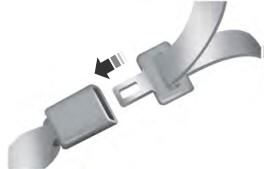
The front outboard and rear safety restraints in the vehicle are combination
lap and shoulder belts.
read more

.jpg)
.jpg)
.jpg)
.jpg)
.jpg)
.jpg)
.jpg)
.jpg)
.jpg)
.jpg)
.jpg)
.jpg)
.jpg)
.jpg)
 Removal and Installation - Rear Bumper
 Disassembly and Assembly - Front Bumper Cover