
Ford Explorer: Vehicle Care / Cleaning Leather Seats
Ford Explorer 2020-2026 Owners Manual / Vehicle Care / Cleaning Leather Seats
Note: Follow the same procedure as cleaning leather seats for cleaning leather instrument panels and leather interior trim surfaces.
For routine cleaning, wipe the surface with a soft, damp cloth and a mild soap and water solution. Dry the area with a clean, soft cloth.
For cleaning and removing stains such as dye transfer, use Motorcraft Premium Leather and Vinyl Cleaner or a commercially available leather cleaning product for automotive interiors.
Note: Test any cleaner or stain remover on an inconspicuous area.
You should:
- Remove dust and loose dirt with a vacuum cleaner.
- Clean and treat spills and stains as soon as possible.
Do not use the following products as these may damage the leather:
- Oil and petroleum or silicone-based leather conditioners.
- Household cleaners.
- Alcohol solutions.
- Solvents or cleaners intended specifically for rubber, vinyl and plastics.
 Cleaning the Instrument Panel and Instrument Cluster Lens
WARNING: Do not use chemical solvents or strong detergents when cleaning
the steering wheel or instrument panel to avoid contamination of the airbag system...
 Repairing Minor Paint Damage
Authorized dealers have touch-up paint to match your vehicle’s color. Your vehicle
color code is printed on a sticker on the front, left-hand side door jamb...
Other information:
Ford Explorer 2020-2026 Service Manual: Removal and Installation - Fender Splash Shield
Removal NOTE: Removal steps in this procedure may contain installation details. NOTE: LH side shown, RH side similar. Remove the wheel and tire. Refer to: Wheel and Tire (204-04A Wheels and Tires, Removal and Installation). Remove the front fender moulding...
Ford Explorer 2020-2026 Service Manual: Removal and Installation - Differential Breather Tube
Removal NOTE: Removal steps in this procedure may contain installation details. Remove the front RH wheel only. Refer to: Wheel and Tire (204-04A Wheels and Tires, Removal and Installation). Remove the pin-type retainer...
Categories
- Manuals Home
- 6th Generation Explorer Owners Manual
- 6th Generation Explorer Service Manual
- Interior Trim and Ornamentation
- General Procedures - Transmission Fluid Drain and Refill
- Body and Paint
- New on site
- Most important about car
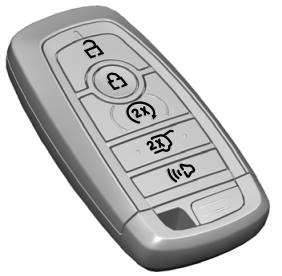
Intelligent Access Key
Note: You may not be able to shift out of park (P) unless the intelligent access key is inside your vehicle.

Copyright © 2026 www.foexplorer.com