
Kia Picanto: Manual heating and air conditioning / Mode selection. Temperature control
Mode selection
The mode selection button determines the direction of airflow through the ventilation system. Use it to choose which cabin outlets deliver air.
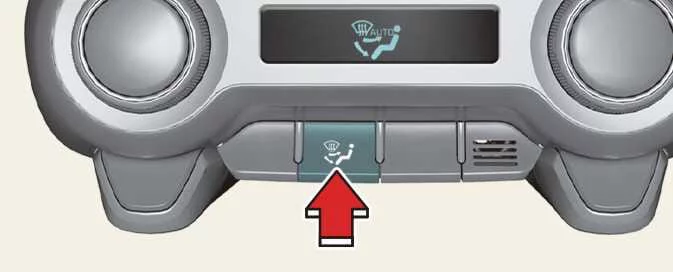
Pressing the mode selection button changes the airflow outlet setting in the sequence illustrated below:

For the locations identified by the outlet letters, refer to the airflow illustration in the “Manual climate control system” section.
 Floor & Defrost (A, C, D)
Most of the airflow is directed towards the floor and windscreen. A smaller amount passes through the side window defrosters to supply air to those areas of the glass.
 Face-Level (B, D)
Air is directed towards the upper body and face. Each outlet can also be adjusted individually, allowing you to aim the discharged air in the direction you prefer.
 Bi-Level (B, C, D)
This setting distributes airflow between the face-level and floor outlets, delivering air to both the upper and lower areas of the cabin.
 Floor-Level (A, C, D)
Most of the airflow is supplied through the floor outlets. A smaller amount is directed towards the windscreen and side window defrosters.
Defrost mode
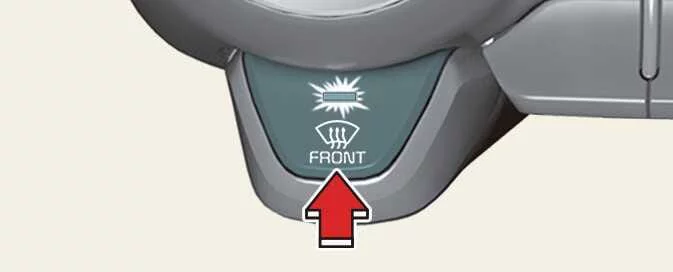
Selecting defrost mode automatically changes the following climate settings to help clear the windscreen:
-
The air conditioning system switches on.
-
The air intake changes to the outside (fresh) air position.
-
The blower switches to a high fan speed.
To cancel defrost mode, press the mode selection button, press the defrost button again, or press AUTO to return to automatic climate control.
Instrument panel vents
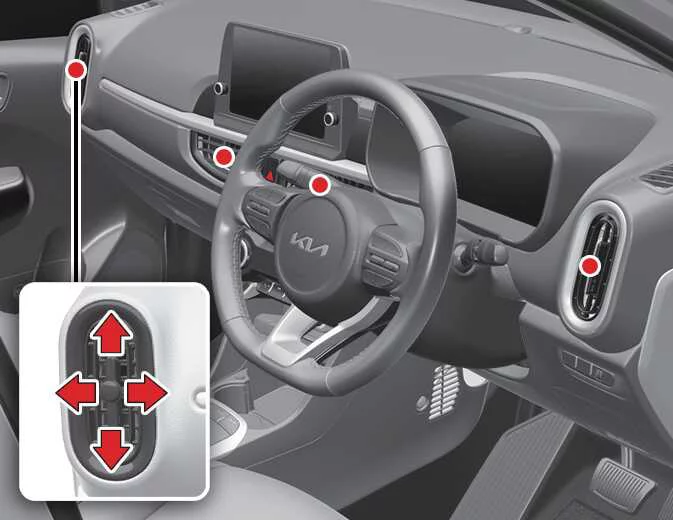
Each instrument panel vent can be opened or closed separately using its horizontal thumbwheel. Rotate the thumbwheel fully downwards to close the vent. To reopen it, rotate the thumbwheel upwards until the outlet is open to the desired position.
You can also change the direction of the air coming through each vent. Move the vent control lever as illustrated to aim the airflow towards the desired area.
Temperature control
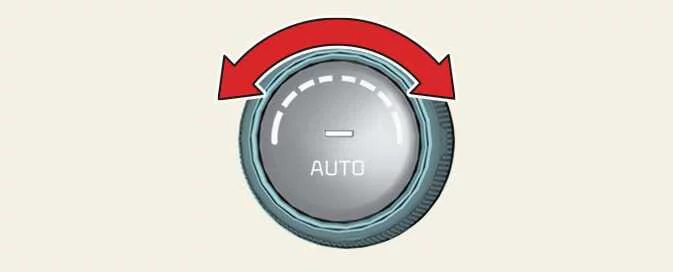
Turn the temperature control knob fully to the right to select the maximum temperature setting, identified as HI.
Turn the knob fully to the left to select the minimum temperature setting, identified as Lo.
As you turn the knob, the selected temperature increases or decreases in steps of 0.5°C, or 1°F when Fahrenheit is selected. At the lowest temperature setting, the air conditioning operates continuously.
Temperature conversion
The Kia Picanto temperature display can be switched between Celsius and Fahrenheit using the following button sequence.
Press and hold the A/C button for at least 3 seconds. Then, within 5 seconds, press and hold the MODE button for at least 3 seconds.
The display changes from Celsius to Fahrenheit, or from Fahrenheit to Celsius, depending on the unit currently selected.
If the battery becomes discharged or is disconnected, the temperature display resets to Celsius. Select Fahrenheit again using the same procedure if required.
 Manual heating and air conditioning
The Kia Picanto heating and cooling system can be operated manually using the controls other than the
AUTO button. In manual operation, the system responds to your selections in the order in whic..
 Air intake control. Fan speed control
Air intake control
The air intake control lets you choose between drawing fresh air from outside the vehicle and recirculating air
already inside the passenger compartment...
Other information:
Ford Explorer 2020-2026 Service Manual: Removal and Installation - Air Conditioning (A/C) Compressor Inlet Line - 2.3L EcoBoost (201kW/273PS)
Removal NOTICE: During the removal of components, cap, tape or otherwise appropriately protect all openings to prevent the ingress of dirt or other contamination. Remove protective materials prior to installation. NOTE: Removal steps in this procedure may contain installation details...
Ford Explorer 2020-2026 Service Manual: Description and Operation - Wheel and Tire Health and Safety Precautions
WARNING: Never inflate a tire that has been run flat without first removing the tire from the wheel to inspect for damage. A damaged tire can fail during inflation. Failure to follow this instruction may result in serious personal injury...
Categories
- Manuals Home
- 6th Generation Explorer Owners Manual
- 6th Generation Explorer Service Manual
- Fuel Filler Funnel Location & Running Out of Fuel
- Body and Paint
- Removal and Installation - All-Wheel Drive (AWD) Module
- New on site
- Most important about car
Child Safety Locks
When these locks are set, you cannot open the rear doors from the inside.
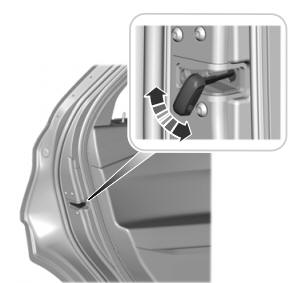
A child safety lock is on the rear edge of each rear door. You must set the child safety lock separately on each door.
Left-Hand Side
