Ford Explorer: Cruise Control / Switching Cruise Control On and Off
About Cruise Control
Cruise control lets you maintain a set speed without keeping your foot on the accelerator pedal. You can use cruise control when your vehicle speed is greater than 20 mph (30 km/h).
WARNING: Do not use cruise control on winding roads, in heavy traffic or when the road surface is slippery. This could result in loss of vehicle control, serious injury or death.
The cruise controls are on the steering wheel. See Cruise Control.
Switching Cruise Control On
 Press to set the system in standby
mode.
Press to set the system in standby
mode.
Switching Cruise Control Off
 Press the button when the system
is in standby mode.
Press the button when the system
is in standby mode.
The system also turns off when you switch the ignition off.
Note: The set speed erases when you switch the system off.

 Setting the Cruise Control Speed
WARNING: When you are going downhill, your vehicle speed could increase
above the set speed. The system does not apply the brakes.
Drive to the speed you prefer...
Other information:
Ford Explorer 2020-2026 Service Manual: Removal and Installation - Spot Lamp
Removal NOTE: Removal steps in this procedure may contain installation details. Release the wedge nut. NOTE: Typical application shown. Loosen the wedge screw 6 turns. Torque: 62 lb.in (7 Nm) Press the wedge screw inward to release the wedge nut...
Ford Explorer 2020-2026 Service Manual: Removal and Installation - Camshaft Position (CMP) Sensor
Materials Name Specification Motorcraft® Silicone Brake Caliper Grease and Dielectric CompoundXG-3-A ESE-M1C171-A Removal NOTE: Removal steps in this procedure may contain installation details. Exhaust Camshaft Position (CMP) Sensor NOTICE: Do not pull the engine appearance cover forward or sideways to remove...
Categories
- Manuals Home
- 6th Generation Explorer Owners Manual
- 6th Generation Explorer Service Manual
- Automatic Transmission - 10-Speed Automatic Transmission – 10R60
- General Procedures - Transmission Fluid Drain and Refill
- Fuel Filler Funnel Location & Running Out of Fuel
- New on site
- Most important about car
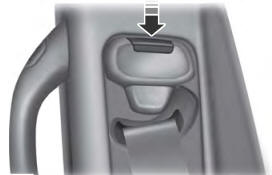
Seatbelt Height Adjustment
WARNING: Position the seatbelt height adjuster so that the seatbelt rests across the middle of your shoulder. Failure to adjust the seatbelt correctly could reduce its effectiveness and increase the risk of injury in a crash.