
Ford Explorer: Steering Wheel and Column Electrical Components / Removal and Installation - Steering Wheel Multifunction Switch
Ford Explorer 2020-2026 Service Manual / Chassis / Steering System / Steering Wheel and Column Electrical Components / Removal and Installation - Steering Wheel Multifunction Switch
Removal
NOTE: Removal steps in this procedure may contain installation details.
NOTE: Vehicles with paddle switches shown others similar.
-
Remove the steering wheel.
Refer to: Steering Wheel (211-04 Steering Column, Removal and Installation).
-
Remove the retainers and the steering wheel rear cover.
.jpg) |
-
On both sides.
Disconnect the electrical connectors.
.jpg) |
-
Remove the retainers and the steering wheel bezel.
.jpg) |
-
On both sides.
Remove the retainers and the steering wheel multifunction switch assembly.
.jpg) |
-
If equipped. On both sides.
Remove the retainer and the steering wheel paddle switch.
.jpg) |
Installation
-
To install, reverse the removal procedure.
 Removal and Installation - Steering Column Multifunction Switch RH
Removal
NOTE:
Removal steps in this procedure may contain installation details.
Remove the steering column shrouds.
Refer to: Steering Column Shrouds (501-05 Interior Trim and Ornamenta..
 Powertrain
..
Other information:
Ford Explorer 2020-2026 Service Manual: General Procedures - Electronic Leak Detection - Vehicles With: R1234YF Refrigerant
Special Tool(s) / General Equipment Electronic Leak Detector Inspection NOTE: Use a Rotunda-approved Electronic Leak Detector for R-1234yf refrigerant SAE Certified to J2913. NOTE: Good ventilation is necessary in the area where electronic A/C leak testing is to be carried out...
Ford Explorer 2020-2026 Service Manual: Removal and Installation - Second Row Seat Climate Control Module
Removal NOTE: Removal steps in this procedure may contain installation details. NOTE: The SCMF (second row seat climate control module) is located under the RH (right-hand) second row seat cushion frame. NOTE: This step is only necessary when installing a new component...
Categories
- Manuals Home
- 6th Generation Explorer Owners Manual
- 6th Generation Explorer Service Manual
- Driveline
- Removal and Installation - All-Wheel Drive (AWD) Module
- Traction Control
- New on site
- Most important about car
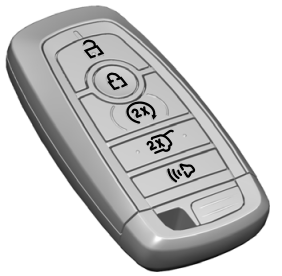
Intelligent Access Key
Note: You may not be able to shift out of park (P) unless the intelligent access key is inside your vehicle.

Copyright © 2026 www.foexplorer.com