
Kia Picanto: Trip computer / Trip information (Trip computer) (For Type C cluster)
The Type C trip computer is an electronically controlled information system that brings together journey data and fuel economy readings. In your Kia Picanto, its displays let you review the current trip, information recorded since refuelling and accumulated driving information.
NOTE
Some driving information stored in the trip computer is reset if the battery is disconnected. Readings recorded before the disconnection may therefore be cleared rather than carried forward into the next journey.
Trip Modes
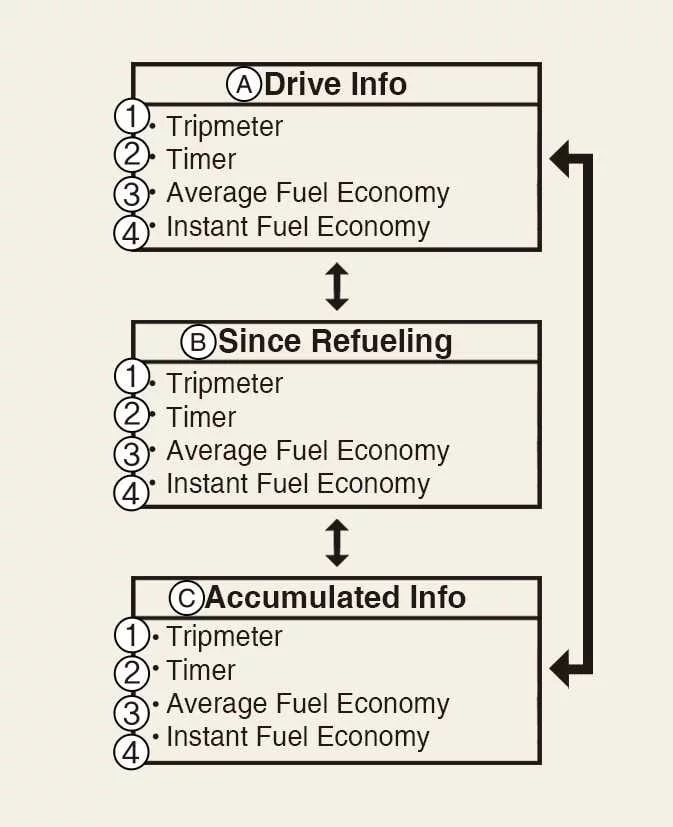
|
A: Drive Info B: Since Refuelling C: Accumulated Info
|
Use the steering wheel toggle switch to move through the trip modes. Scroll upwards or downwards ( /
 ) until the information you want to view appears.
Fuel economy
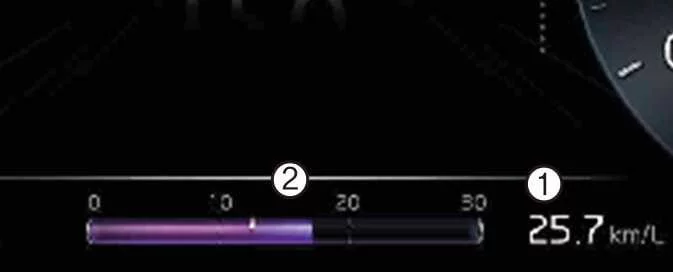
|
A: Current Trip
|
Average Fuel Economy
-
Average fuel economy is calculated from the total distance driven and the fuel consumed since the last reset. This reading summarises consumption over the recording period, rather than showing only the effect of your latest acceleration or change in speed.
-
Fuel economy display range: 0.0–99.9 in the applicable unit: L/100 km, km/L or MPG.
-
-
The average fuel economy reading can be reset manually or automatically. Choose the reset method that corresponds to the driving period you want to monitor.
-
Manual reset
To clear the average fuel economy reading yourself, first select its display. Press and hold the steering wheel OK button for more than one second to reset the average and begin a new calculation.
-
Automatic reset
Open Fuel Econ. Reset in the LCD display’s User Settings menu to select an automatic reset option, including resetting after refuelling. Refer to “LCD display modes” for information about navigating the menus.
Off: Automatic resetting is disabled. Clear the average manually using the trip reset control when you want to start a new recording period.
After Vehicle On: The reading resets automatically when the vehicle is switched on after the ignition has remained OFF for at least four hours.
After refuelling: The reading resets automatically after more than 6 litres of fuel have been added and the vehicle subsequently travels above 1 km/h.
NOTE
To support a more accurate calculation, the average fuel economy reading is initially withheld after the ignition switch or ENGINE START/STOP button is turned to ON. It is not displayed until the vehicle has been driven for more than 10 seconds or has covered 300 metres (0.2 miles).
Instant Fuel Economy
-
When your Kia Picanto is travelling above 8 km/h (5 mph), this mode displays fuel economy calculated over the preceding few seconds. It provides a short-term view of consumption that can change as driving conditions change.
-
Fuel economy display range:
0–30 L/100 km or km/L, or 0–50 MPG, depending on the selected unit.
-
Accumulated driving information mode
This display combines the accumulated trip distance (1), total driving time (2) and average fuel economy (3) recorded since the last reset. It allows you to review information across the complete recording period rather than only the current journey.
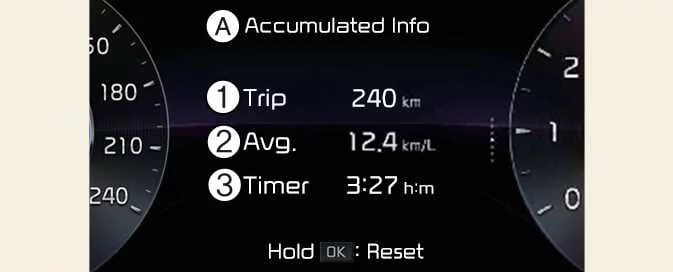
|
A: Since Last Reset
|
-
Accumulated information is calculated after the vehicle has travelled more than 300 metres (0.2 miles).
-
To reset the accumulated readings, select the Accumulated Info display and press and hold the OK button for more than one second.
-
Information continues to accumulate while the engine is running, even when the vehicle is stationary. The recorded time therefore includes stops made with the engine still operating.
Drive Info display
Drive Info shows the trip distance (1), total driving time (2) and average fuel economy (3) associated with the current ignition-cycle driving period. Short stops do not necessarily begin a new recording period, as the display retains its information according to the four-hour reset rule below.
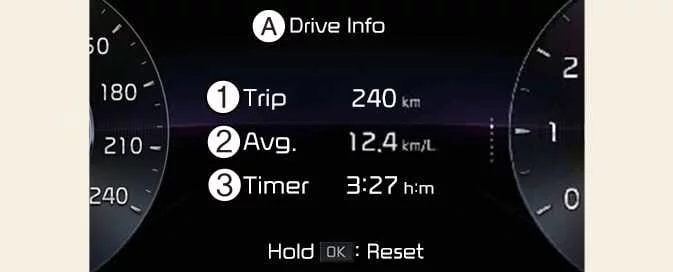
|
A: Current Trip
|
-
Fuel economy is calculated after the vehicle has travelled more than 300 metres (0.2 miles), allowing the system to establish the reading.
-
Drive Info resets after the ignition has been off for four hours. If the ignition is switched on again within four hours, the previous information remains available and the recording period continues.
-
You can also clear the readings manually. With Drive Info displayed, press and hold the OK button for more than one second.
-
The display continues accumulating information while the engine is running, including when your Kia Picanto is not moving. Stationary running time remains part of the recorded driving period.
 Trip information (trip computer) (For Type B cluster)
The Type B trip computer is an electronically controlled driver information system that displays journey data and
fuel economy readings. It allows you to review driving activity in your Kia Pican..

Other information:
Ford Explorer 2020-2026 Service Manual: General Procedures - Seatbelt Cleaning
Cleaning WARNING: Do not bleach or re-dye the seatbelt webbing, as the webbing may weaken. Failure to follow this instruction may increase the risk of serious personal injury or death in a crash. Refer to the owner's literature for information on seatbelt care and the recommended cleaning solution to use...
Ford Explorer 2020-2026 Owners Manual: Pedestrian Protection
Pedestrian Alert System WARNING: The system is not designed to detect cyclists, motorcyclists, pedestrians or animals. Always drive with due care and attention. Failure to take care may result in a crash. Due to the quiet operation of hybrid and electric vehicles at low speeds, the system creates a subtle sound to alert pedestrians...
Categories
- Manuals Home
- 6th Generation Explorer Owners Manual
- 6th Generation Explorer Service Manual
- Driveline
- Body and Paint
- General Procedures - Brake Service Mode Activation and Deactivation
- New on site
- Most important about car
Windshield Wipers
 Push the lever up or down to operate
the windshield wipers.
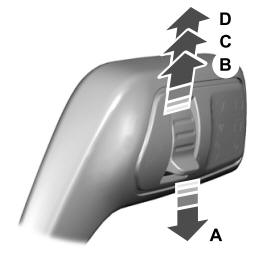
A - Single wipe.
